

How Good Is AI at Coding React (Really)?
A data-driven look at what AI can and can’t do for React developers - and what you can do about it

tl;dr: AI coding benchmarks show models excel at isolated React tasks like scaffolding components or implementing explicit specs, achieving ~40% success in benchmarks, but drops to ~25% on multi-step integrations due to a “complexity cliff” in state management and design taste. The gap between “AI helped me ship” and “AI gave me a mess” is context engineering and explicit constraints. Deep React and domain knowledge enable you to spot when AI goes off the rails and understand why it repeats mistakes. Guide it without blindly accepting the output.
This article is based on my closing keynote at React Summit by GitNation (video).
The Question everyone’s asking (but nobody’s answering well)
Let me be direct: most conversations about AI and coding are stuck on vibes. Either AI is magic that will replace us all, or it’s garbage that can’t do anything useful, or it’s perpetually “one prompt away” from shipping production code. All three takes miss what’s actually interesting.
After spending a year analyzing benchmarks, building with these tools at Google, and watching React developers struggle (and succeed) with AI assistants, here’s what I’ve learned: AI is already useful for React developers, but its usefulness is extremely uneven. The unevenness is predictable if you know what to look for.
More importantly - and this is the part most articles skip - you have far more control over outcomes than you think.
The Core Thesis: Two sides of the same coin
This article covers two critical angles:
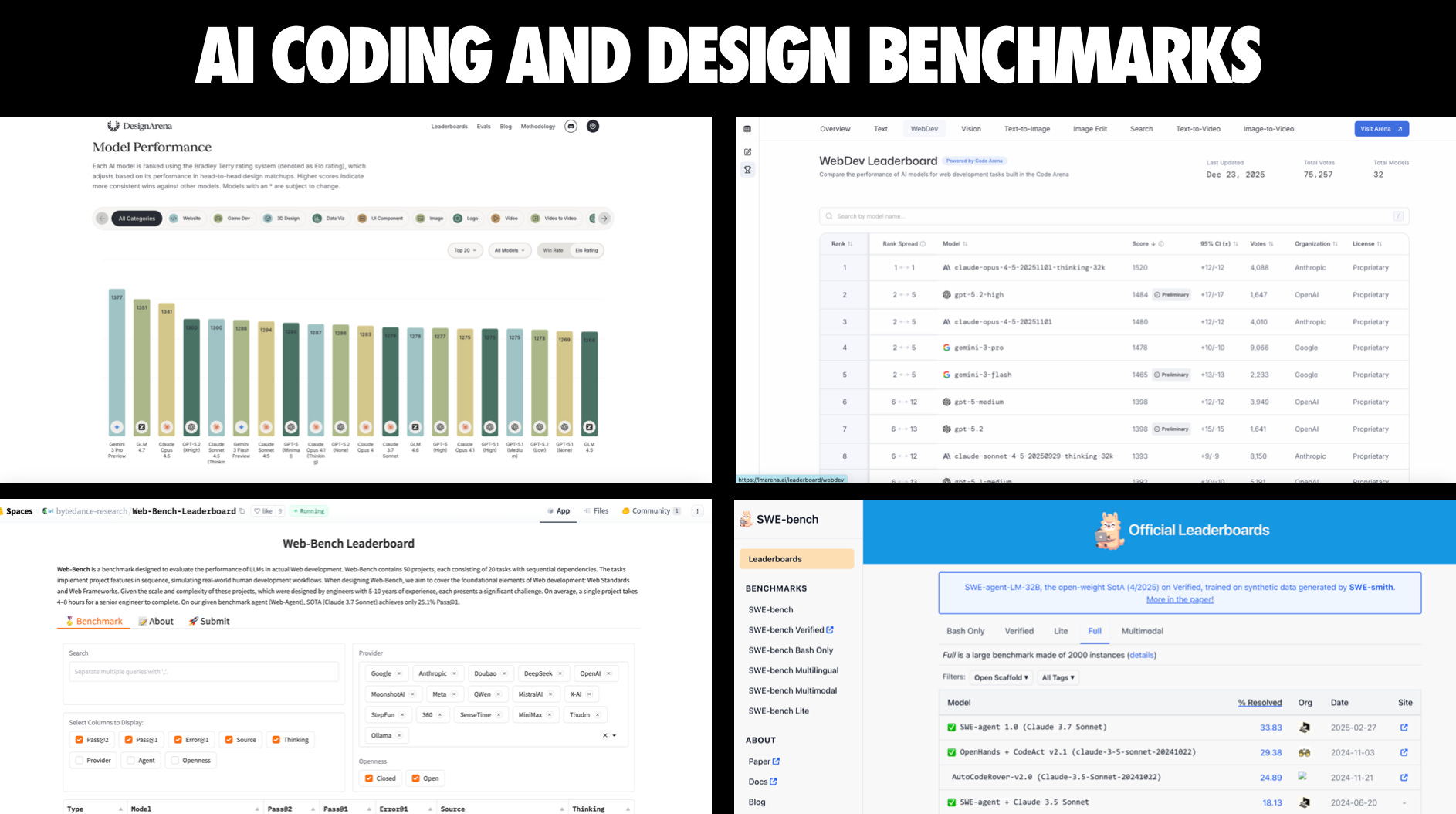
What the data tells us: Benchmarks like Design Arena, Web Dev Arena, SWE-Bench, and Web-Bench reveal clear patterns about where AI excels (isolated components, scaffolding, implementing explicit requirements) and where it struggles (multi-step integration, design taste, complex state management). Understanding these patterns means you can predict what will work before you waste time.
What you can control: The difference between “AI helped me ship” and “AI gave me a mess to untangle” almost never comes down to just model selection. It comes down to context engineering, prompt specificity, workflow structure, and guardrails. These are all in your power to fix.
Let’s start with the foundation.

90% of developers use AI for coding in some way. In an AI-assisted world, the value of frameworks like React depends on how effectively AI can use them. If AI can’t handle a framework well, that means the quality of experiences you can build without a lot of manual work can be limited.
A lot of AI code quality comes down to context. You want to squeeze the most value out of the token budget in your context window. But the model, the tools that sit on top of it all of these layers play an important role.
AI Changes what is easy, not what is true
AI is a force multiplier. It amplifies everything: good requirements, good architecture, good taste. It also amplifies the bad: vague specs, messy state, and the temptation to ship something you haven’t really understood. Give it a weak brief, and it will happily hand you a 10,000-line maze you’ll later delete.
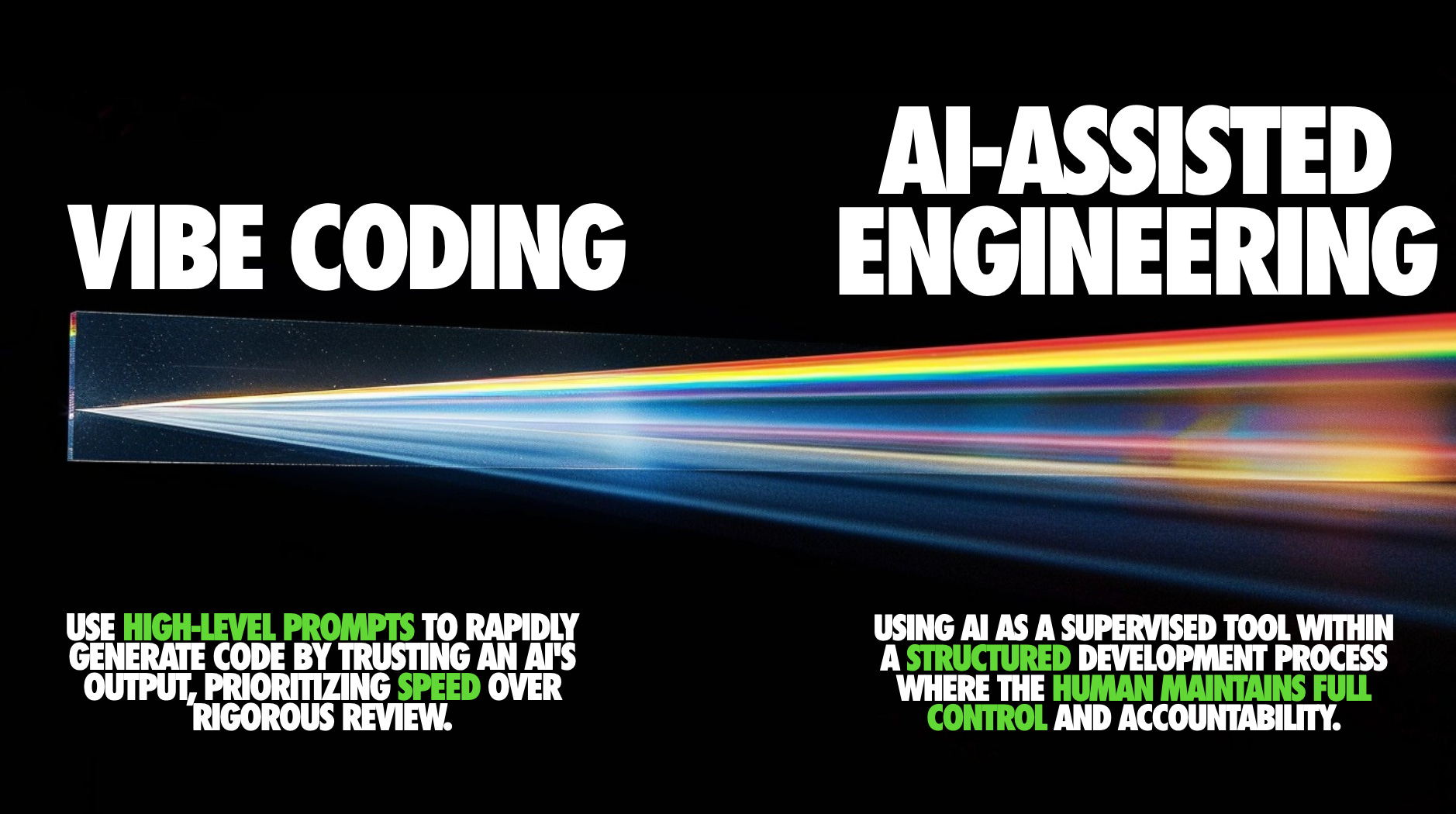
I draw a hard line between AI-assisted vibe coding and AI-assisted engineering. Vibe coding is trusting high-level prompts and prioritizing speed over review. AI-assisted engineering is integrating AI inside a structured process where the human stays in control and accountable for the output.
Why does this distinction matter for React?
Because React apps aren’t just code. They’re product behavior, user experience, reliability, security, performance, accessibility, and long-term maintenance. AI can help with all of that - but only if you treat it like a teammate you’re pairing with and have oversight over, not a vending machine dispensing code.
The Monoculture problem (and opportunity)
One of the most under-discussed parts of the AI coding story: “how well AI codes” is not a universal property. It depends on what the model has seen in training, what tools it has access to, and what the ecosystem has standardized on.
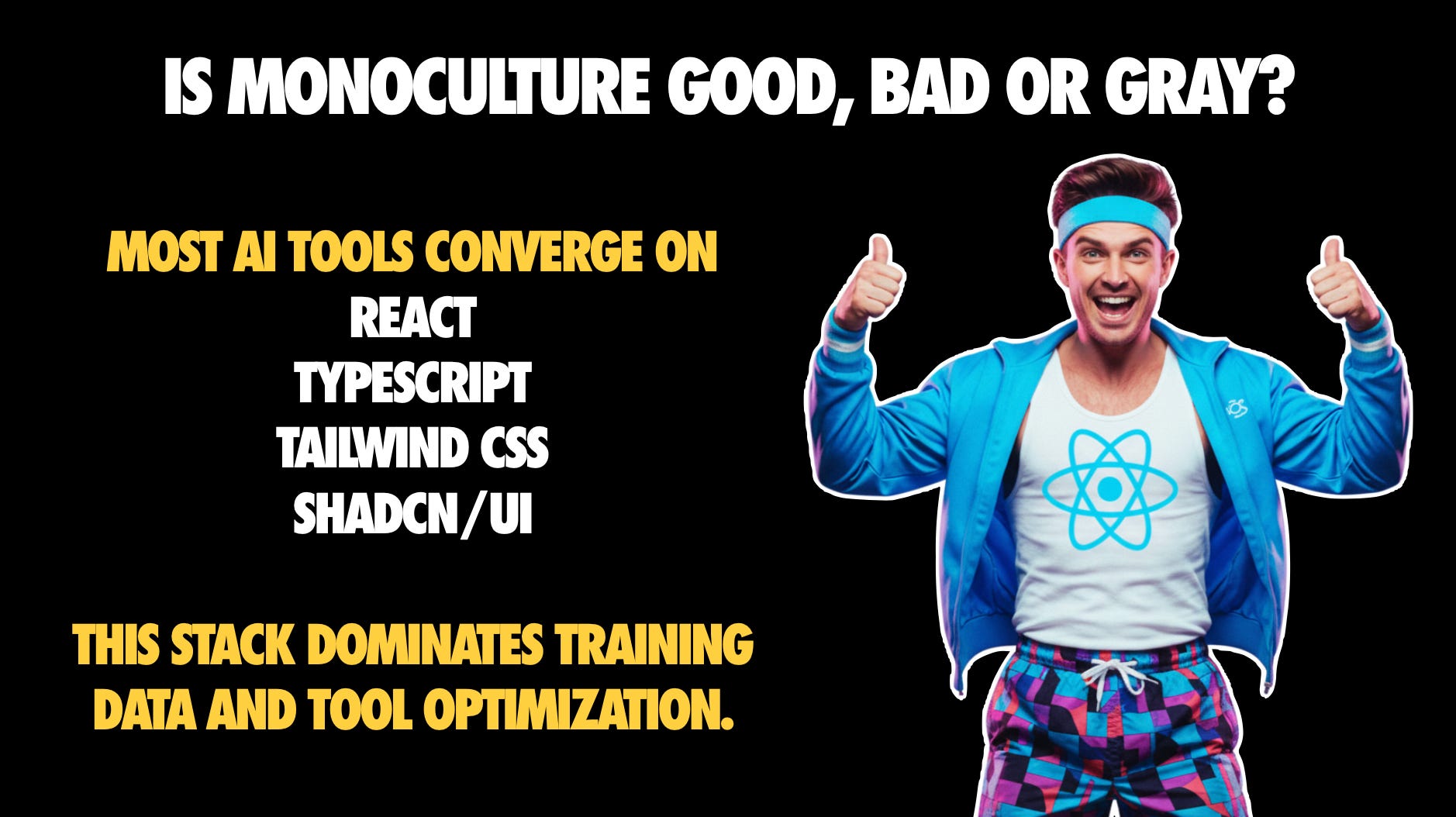
Large language models effectively set the ceiling for how much leverage you get out of a framework in an AI-assisted workflow. If AI struggles with a framework, you feel that as friction and quality limits.
Most AI tools converge on a stack that looks like: React, TypeScript, Tailwind, shadcn/ui. That stack dominates training data and tool optimization, so models are competent there and noticeably shakier off the beaten path.
This has two implications for practicing React developers:
If you’re on the mainstream stack, your “AI assistance ceiling” is higher. You’ll get better scaffolds, better component generation, and fewer hallucinated APIs.
If you’re not, you need to compensate with better context, doc retrieval, and stricter constraints - or you’ll watch the model confidently build an alternate universe version of your app.
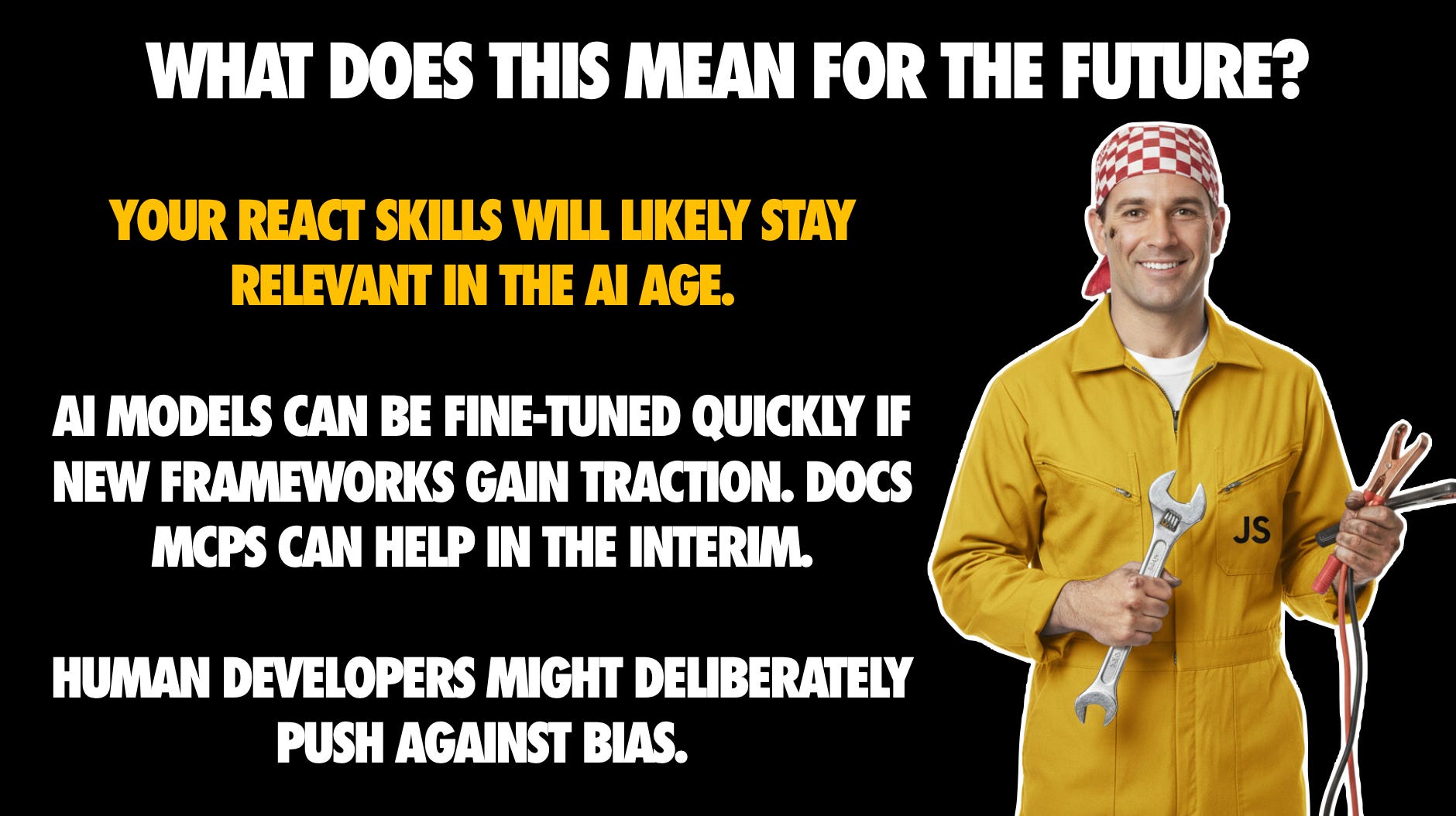
There’s also a second-order effect: monoculture can slow innovation. React skills are likely to stay very relevant (comforting), but it also means newer frameworks or alternative patterns can face headwinds until models and tools catch up.
The good news? If a framework gains traction, AI makers will fine-tune models on it. Docs MCPs can bridge gaps in the interim. But short-term, React’s position is extremely strong because AI “knows” it best.
The Big reality check: The complexity cliff
If you remember nothing else from this article, remember this: AI handles simple tasks well and then falls off a cliff as complexity rises.
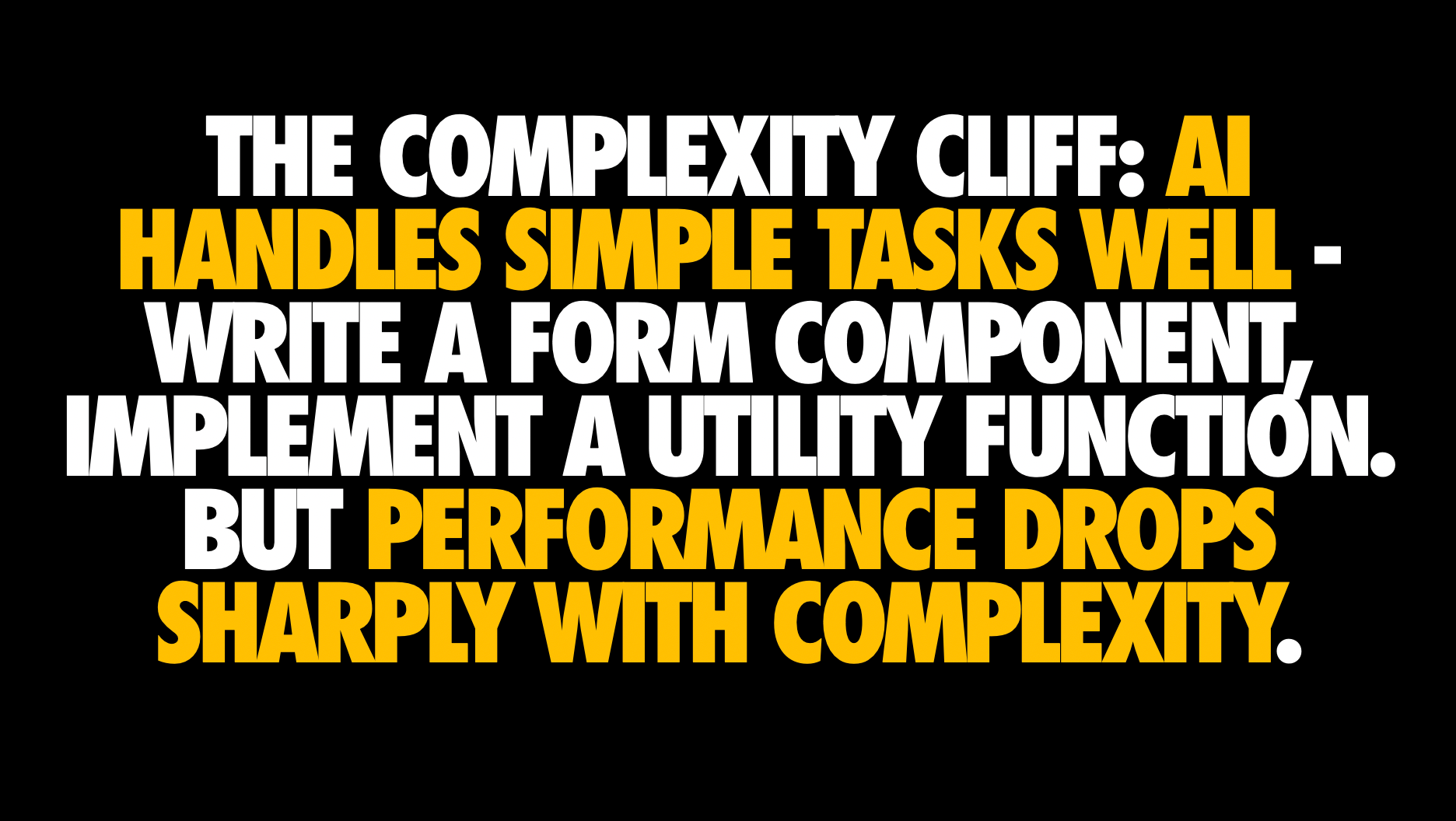
A form component, a utility function, a small isolated widget: great. Multi-step work across a real codebase: much less reliable.
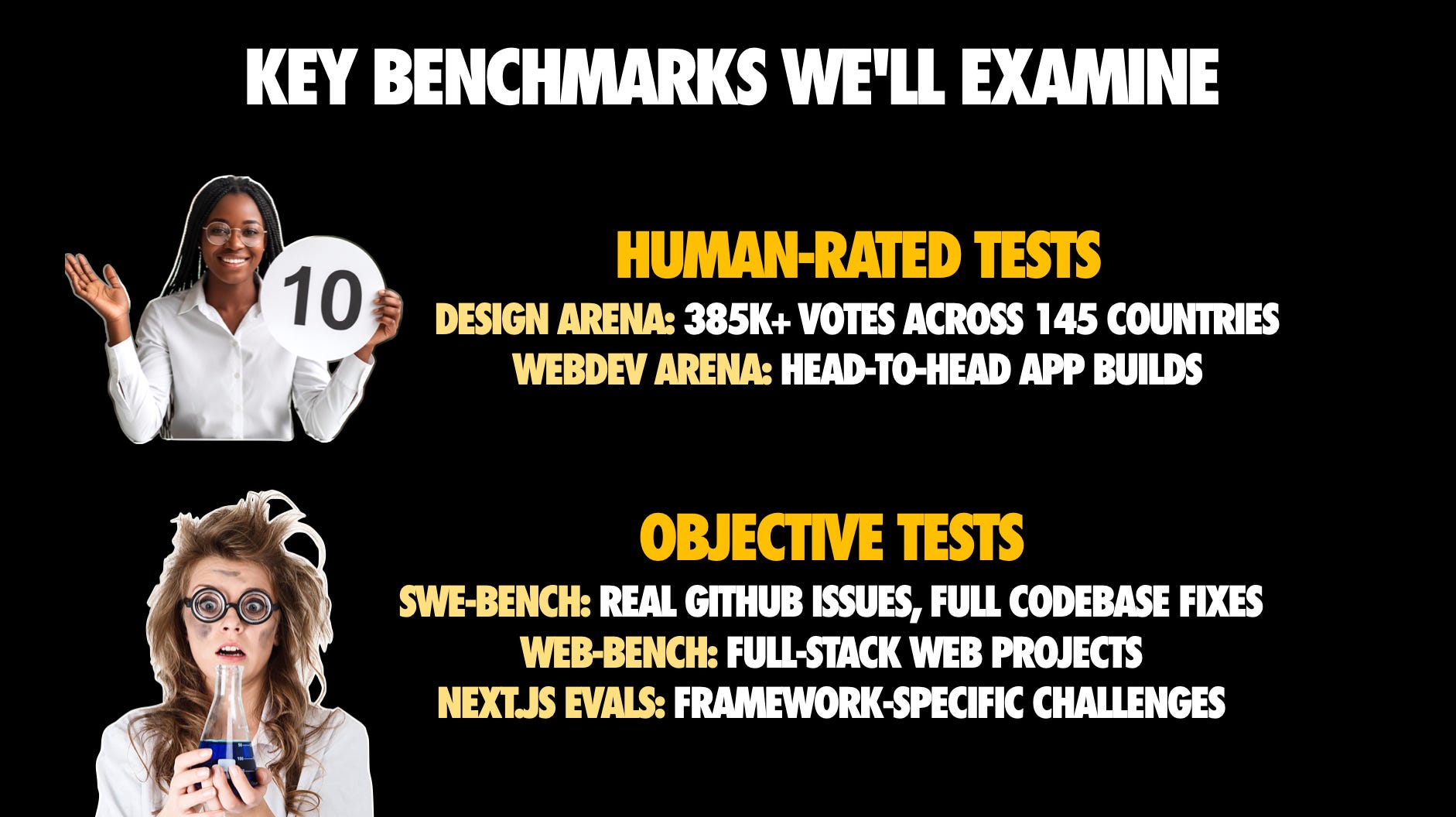
I used a mix of objective and human-rated benchmarks to show this pattern. We need both, because pass/fail benchmarks tell you “can it solve the issue,” while human-rated arenas tell you something equally important for frontend work: “do humans actually want to use what it builds.”
What The Numbers Show
On objective benchmarks, the complexity cliff is visible:
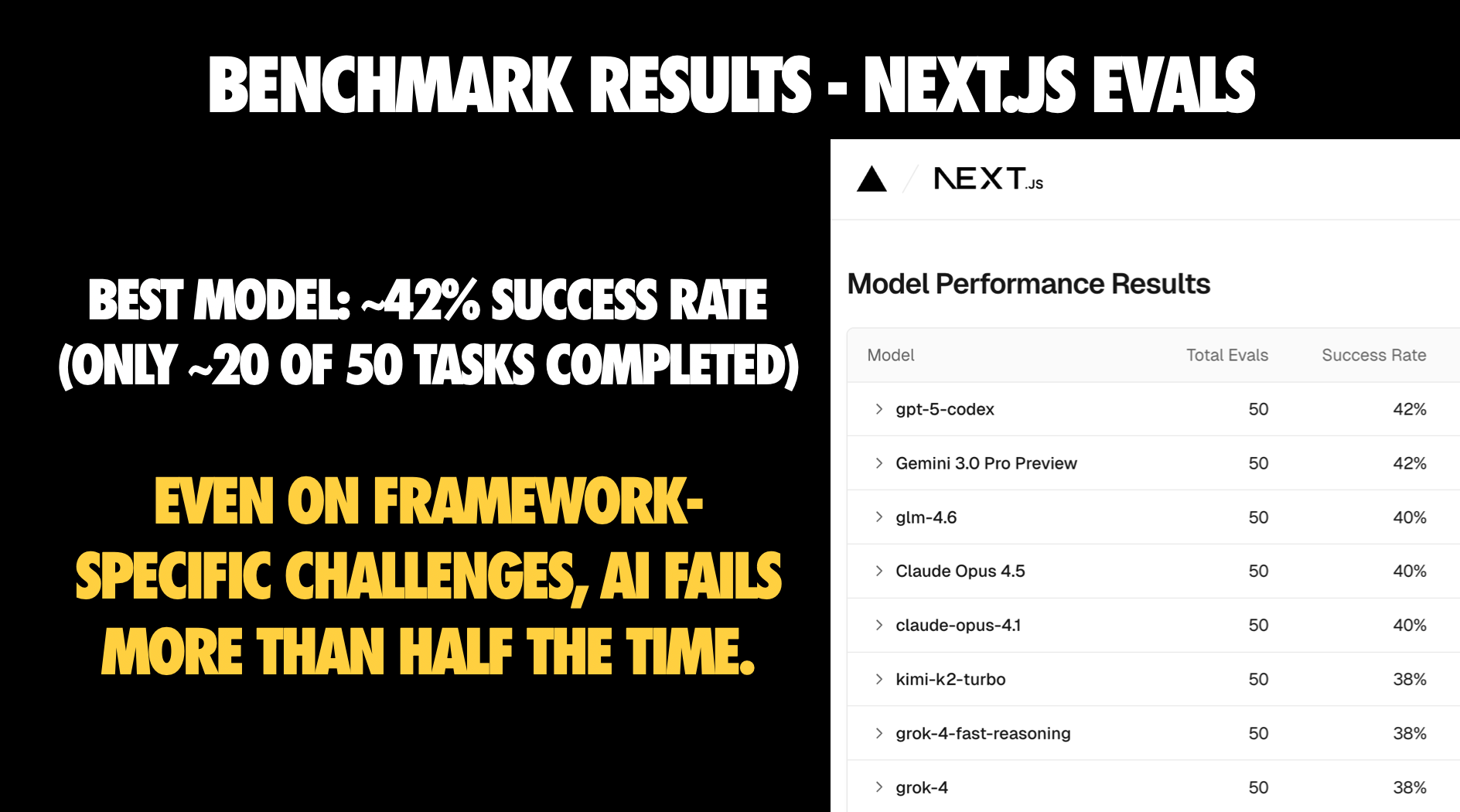
Next.js eval tasks: Best models around 42% success - roughly 21 of 50 tasks completed. Even on framework-specific challenges, failures are common.
Web-Bench multi-step full-stack tasks: Around 25% tasks solved. Many failures as steps chain together.
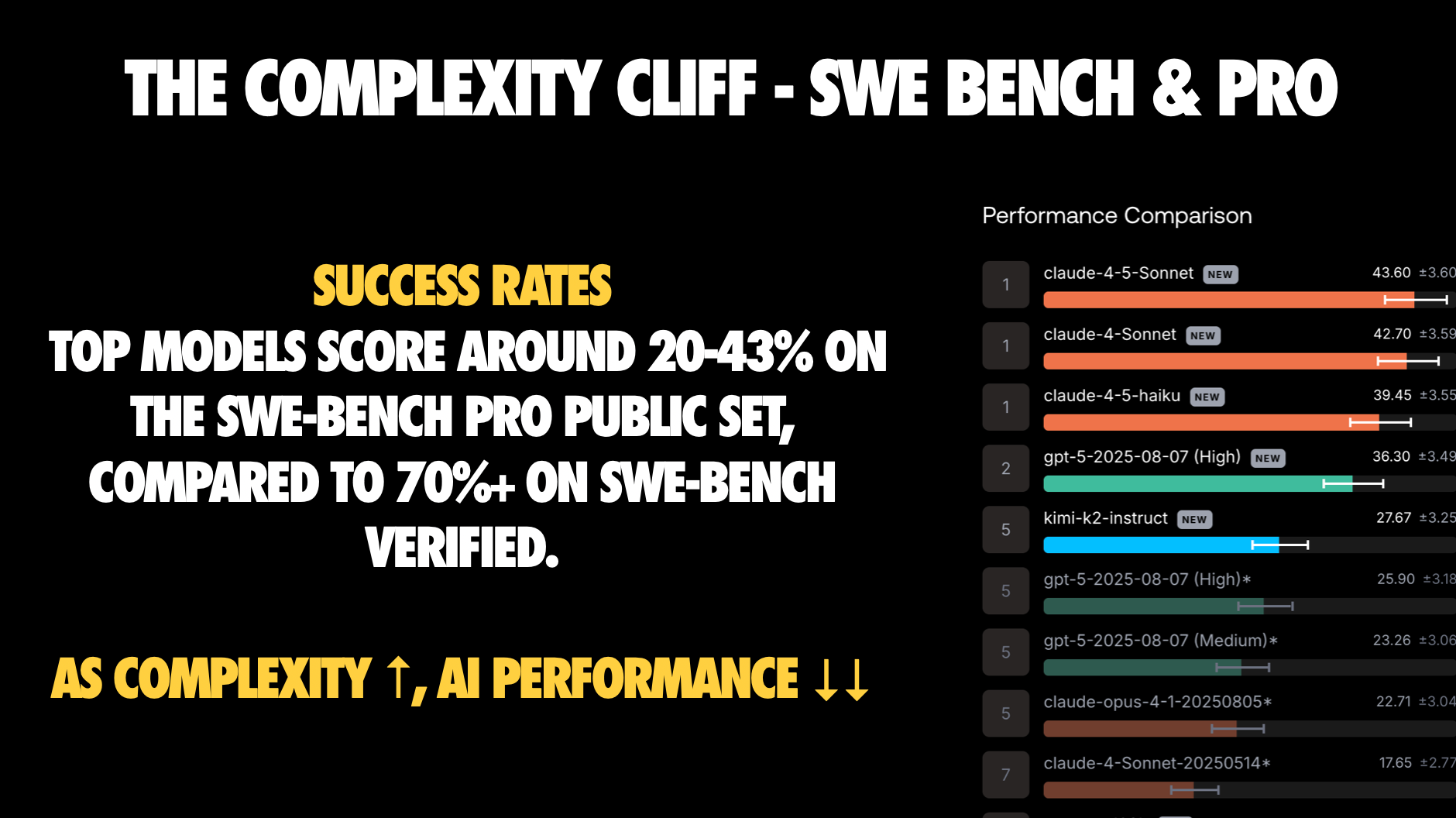
SWE-Bench Pro: Around 20-43% on the Pro public set, versus jumping to over 70% on SWE-Bench Verified. Increasing complexity collapses performance.
The gap between benchmark performance and your real codebase is the important thing to calibrate to.
My practical translation of the complexity cliff for React developers:
AI is great at first drafts
AI is mediocre at integration
AI is unreliable at long multi-step changes unless you give it strong tooling and context
AI gets you to “it works” faster than it gets you to “it’s a codebase I want to own”
Design Arena and Web Dev Arena: Where React developers should pay attention
React developers spend a lot of time in the space between “the code runs” and “this is good.” That space includes UI quality, hierarchy, spacing, accessibility, and whether the end result feels intentional.
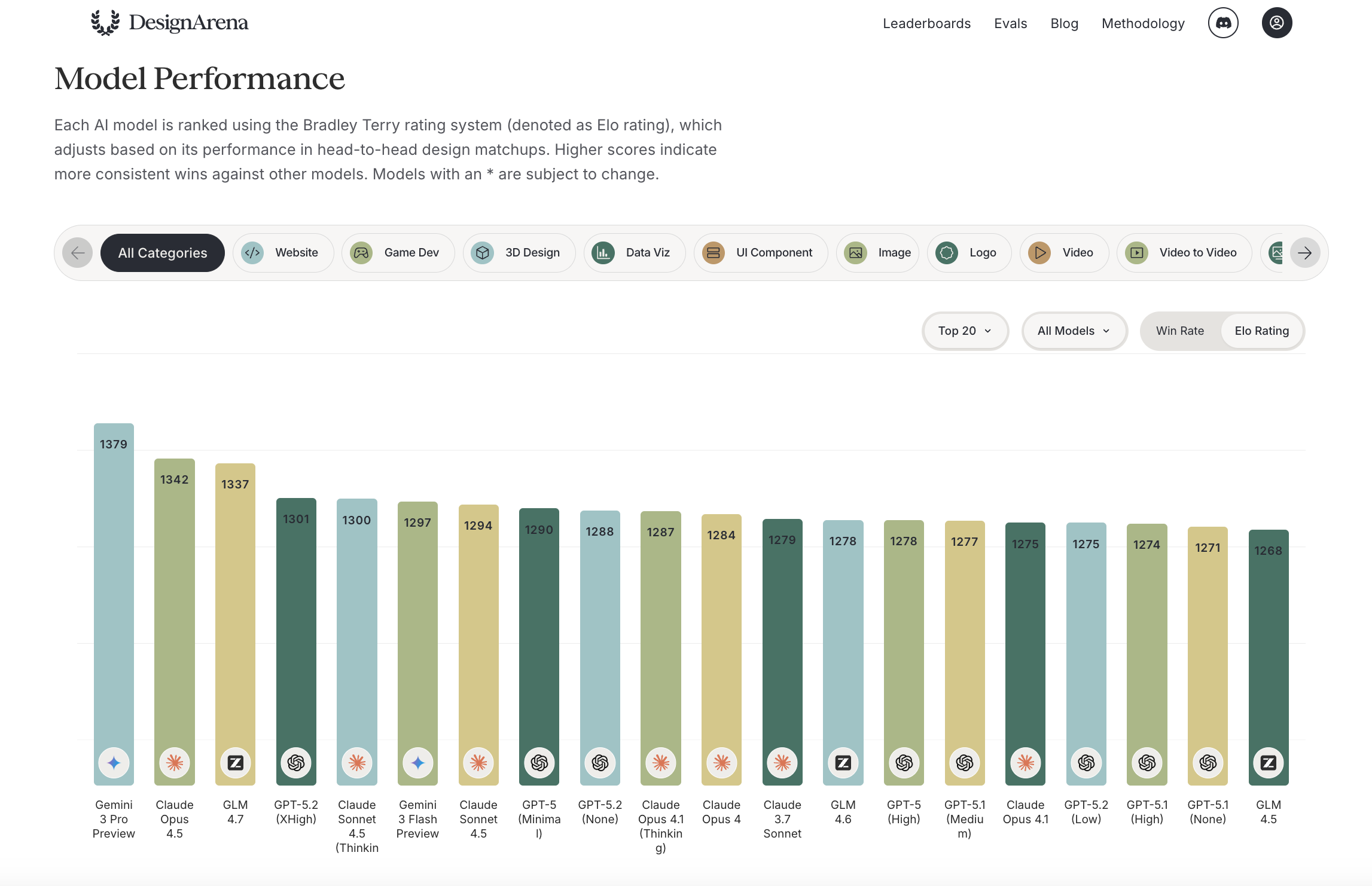
Design Arena is interesting because it’s explicitly human preference–driven. Here’s how it works:
Users come to the platform to explore and use the best AI-powered tools, like website generation and game generation
Design Arena presents multiple versions of the same experience (a website, agent, or builder), and users can save their favorite
Rankings emerge from these aggregated choices across categories like website generation, agents, and builders, reflecting real usage preferences rather than curated rubrics
Elo-style scores are calculated using a Bradley–Terry model, with models below a minimum comparison threshold filtered out.
The leaderboard updates live (every three hours, per their methodology), powered by interactions from over 850,000 users across 145 countries.
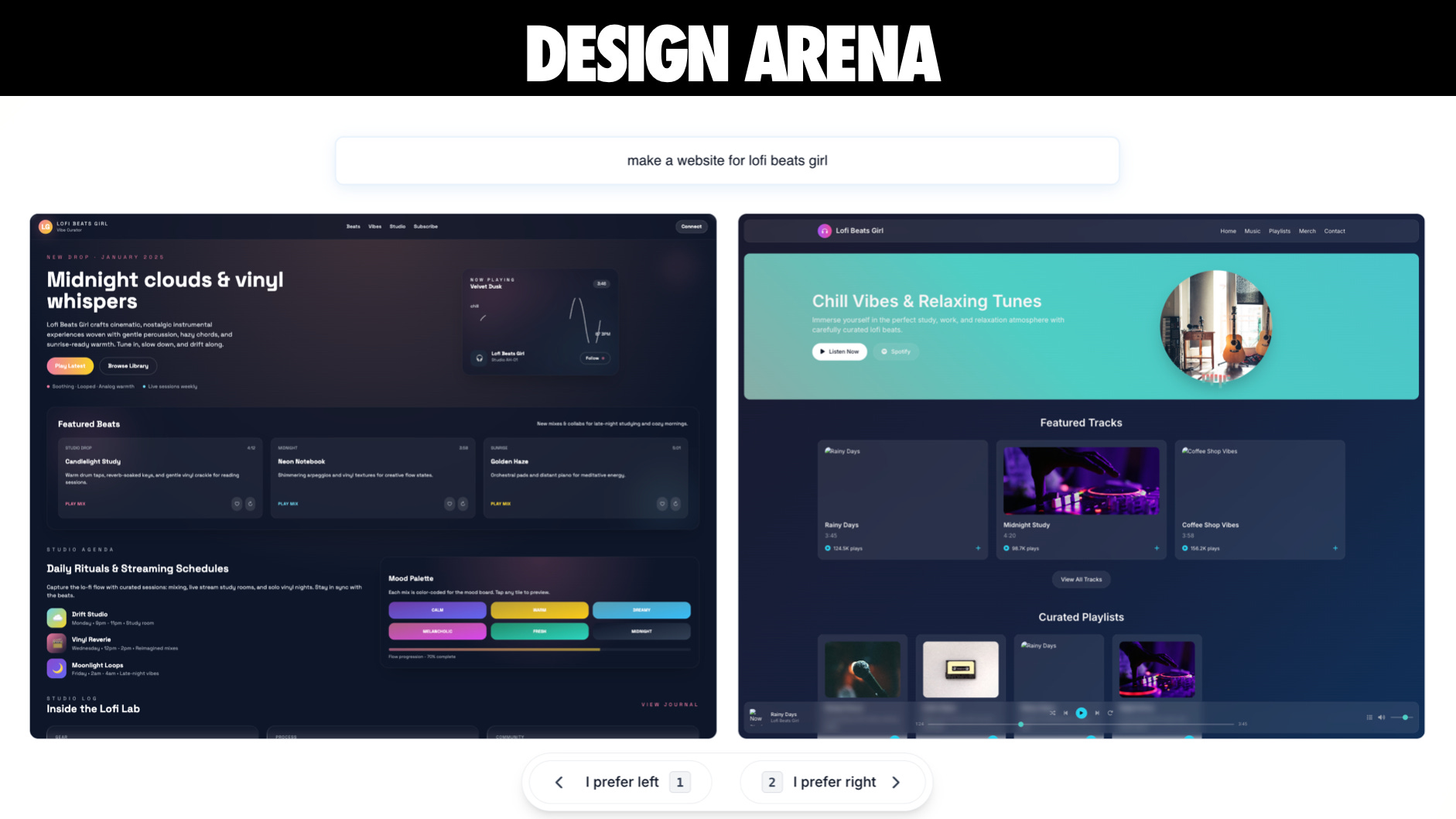
By using a pairwise comparison system, DesignArena generates leaderboards that rank AI models based on human preferences, helping to measure and drive improvements in design quality, usability, and aesthetics.
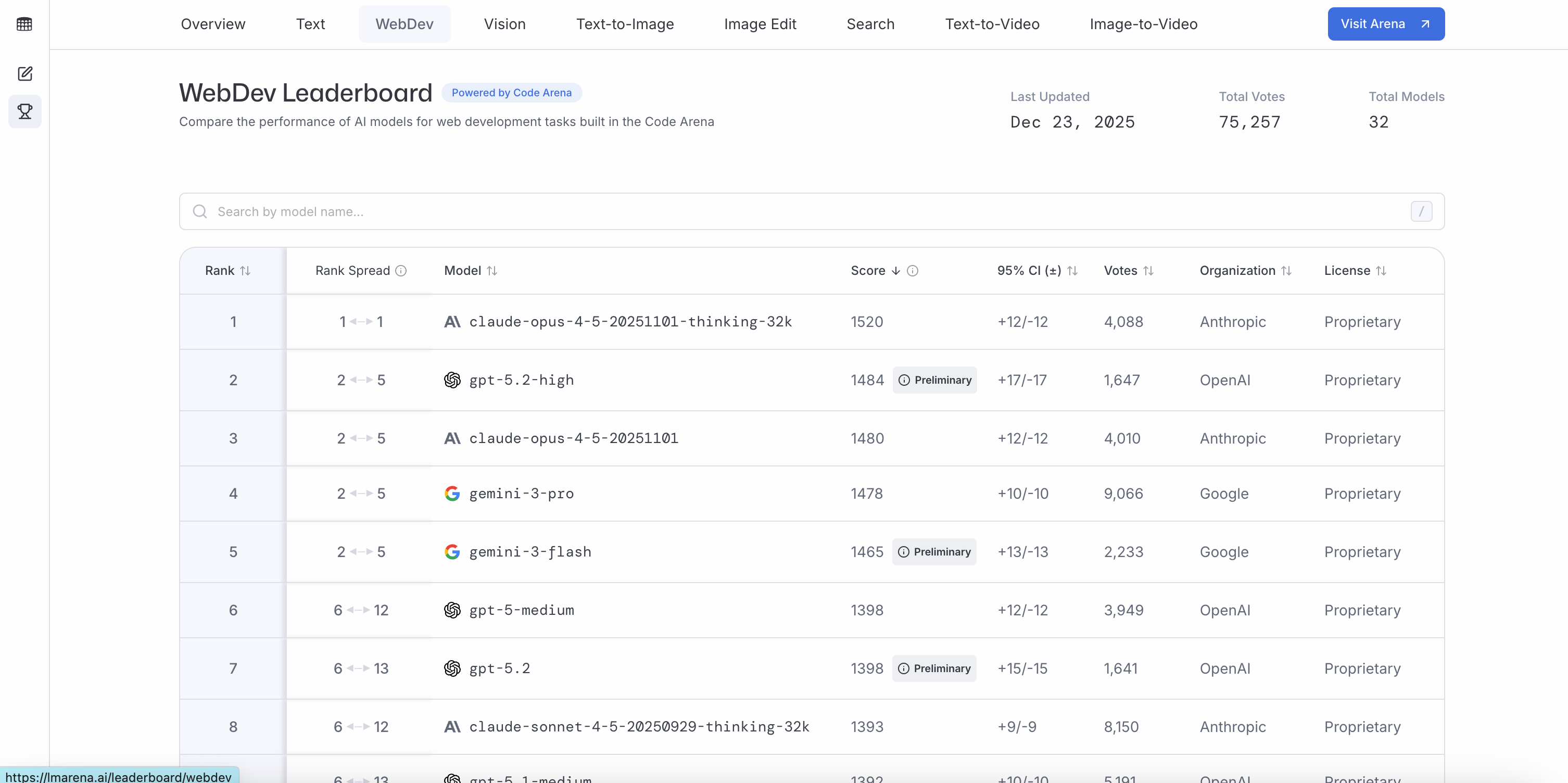
Similarly, Web Dev Arena is an open-source benchmarking platform from LMArena designed to evaluate LLMs based on their capability to build functional, interactive web applications. Users submit a prompt and compare anonymous AI models generating code side-by-side, contributing to a community-driven Elo leaderboard that ranks top models for complex web development tasks.
So what do React developers learn from such arenas?
The Core Finding: AI has mastered logic, but not taste
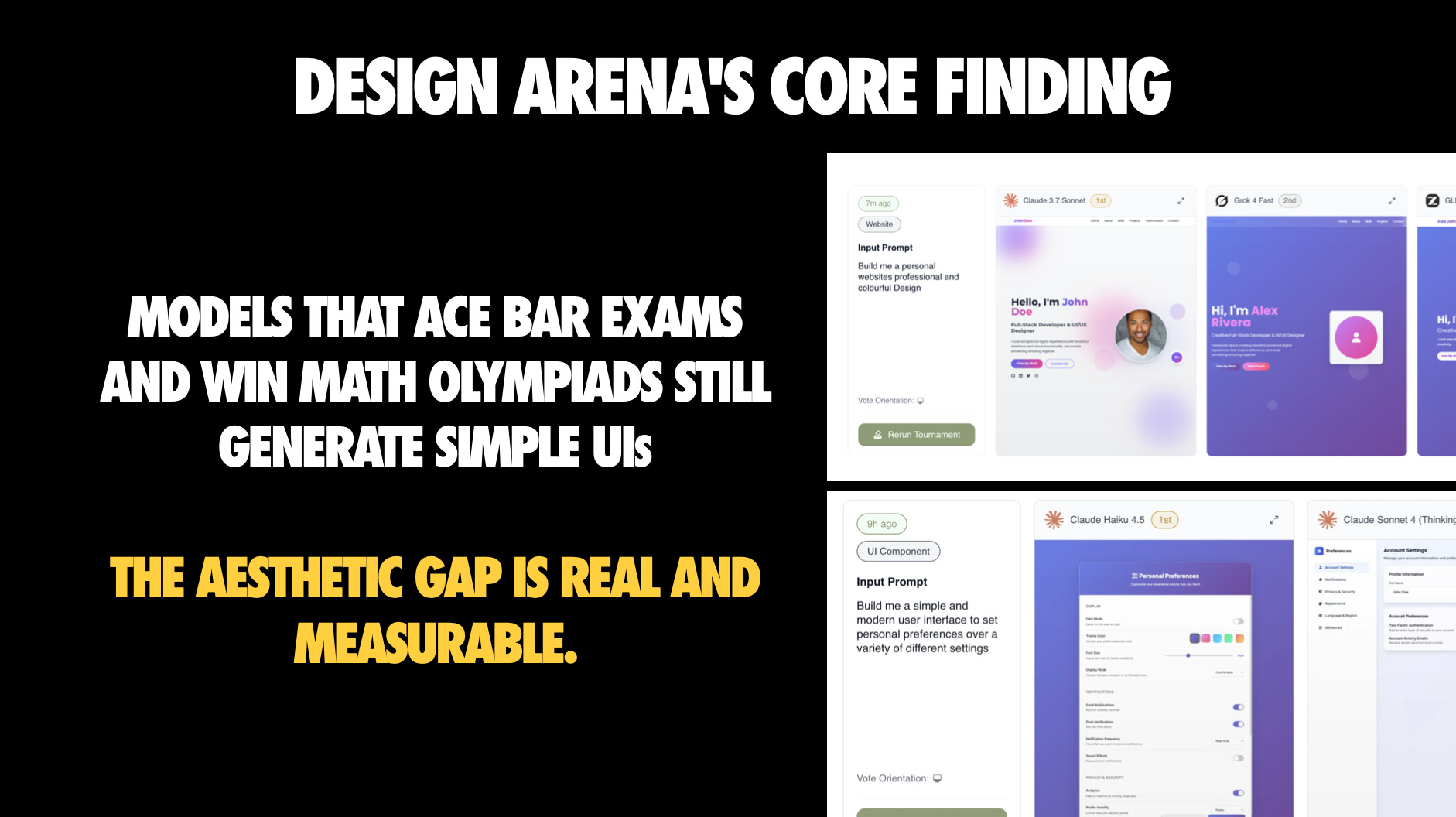
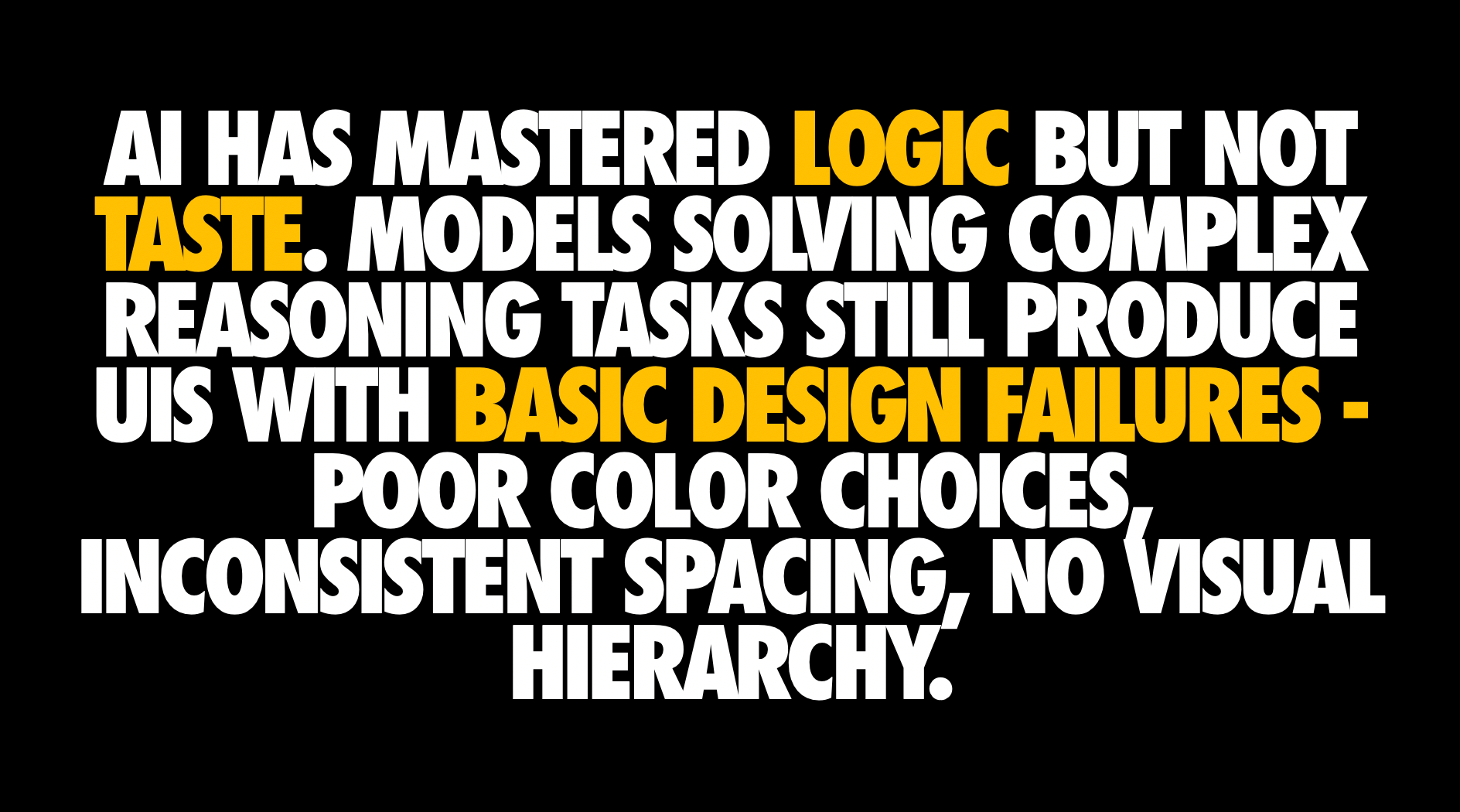
This slide is the thesis of the whole talk. Models can solve hard reasoning problems and still produce UIs with basic design failures: off color choices, inconsistent spacing, weak hierarchy.
I call this the capability divide:
AI is strong at logic, data flow, and implementing explicit requirements
AI is weak at taste, usability awareness, and aesthetic judgment
If you’re a React developer, this should change how you delegate:
Delegate boilerplate and mechanical implementation
Keep design intent, API design, and architecture decisions human-led
Treat “pretty” as an explicit requirement, not a default outcome
The Surprise: Tools and scaffolding matter more than you think
Design Arena also found something counterintuitive: general agents are more variable than specialists, and the scaffolding and workflow around the base model drives a lot of the performance spread.
Put differently: two products can wrap the same base model and feel wildly different because of tooling, retrieval, iteration loops, and guardrails.
This is great news, because it means you have leverage even when you don’t control the base model.
Arena by Arena: What React developers should steal from the data
Let me walk through five arenas and extract the practical lessons for each one.
1. Website Arena: Prompt to website (and why Purple keeps happening)
The Website Arena measures how well models generate complete single-page sites from a prompt, with instructions to add modern UI/UX practices, accessibility, and responsive design.
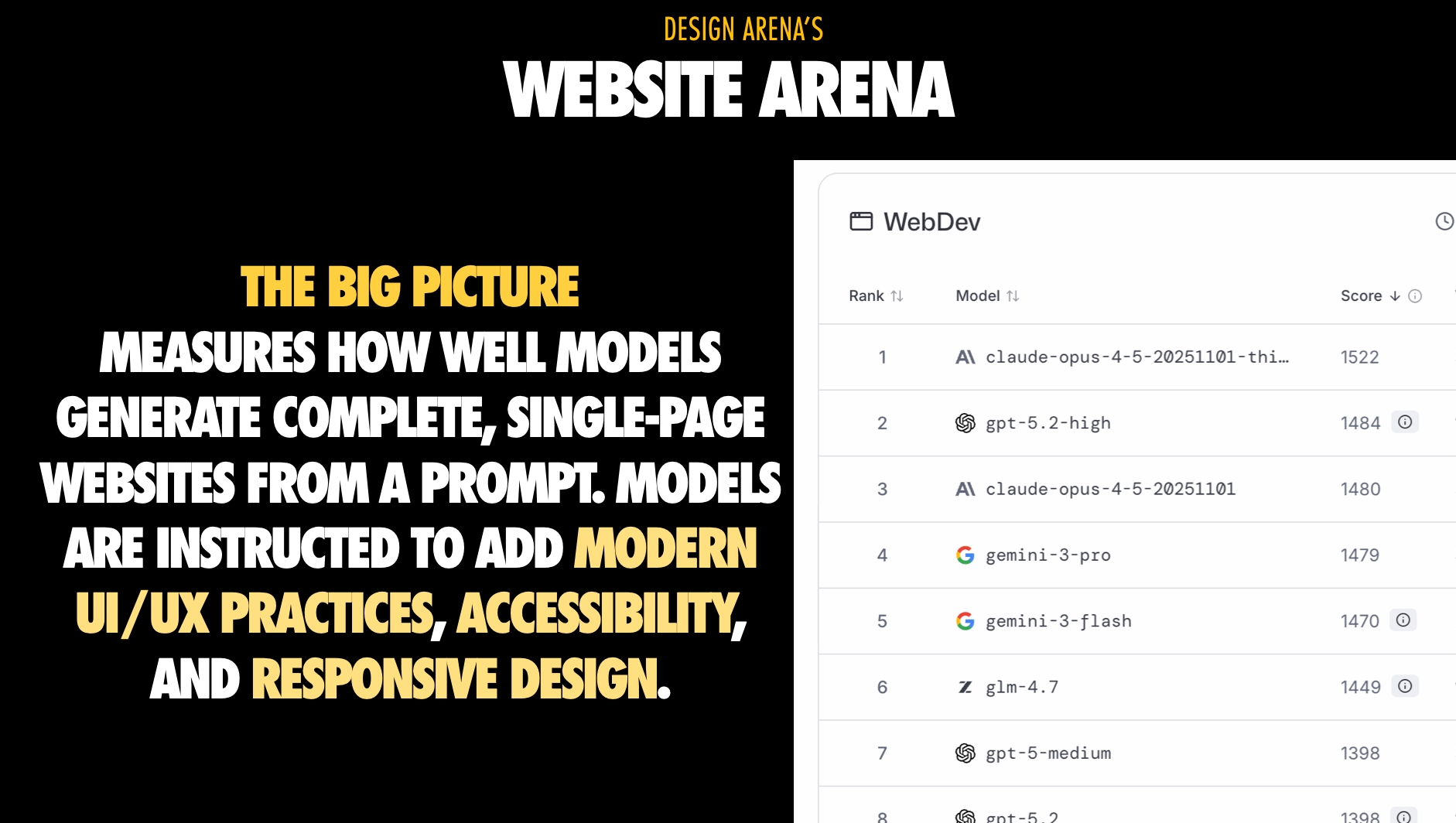
The important nuance is how winners tend to win: it’s not always the flashiest layout, it’s often the most coherent and complete page.
If your goal is something shippable, bias your prompts toward coherence and structure, not 'make it look cool.
Why is there so much purple?
I joked about this in the talk because once you see it, you can’t unsee it: models converge on safe, generic design patterns, and “purple gradient plus glassmorphism” is one of those defaults.

That’s not just a meme. It’s distributional convergence: under uncertainty, models gravitate toward common patterns in the data.
How do you fix it?
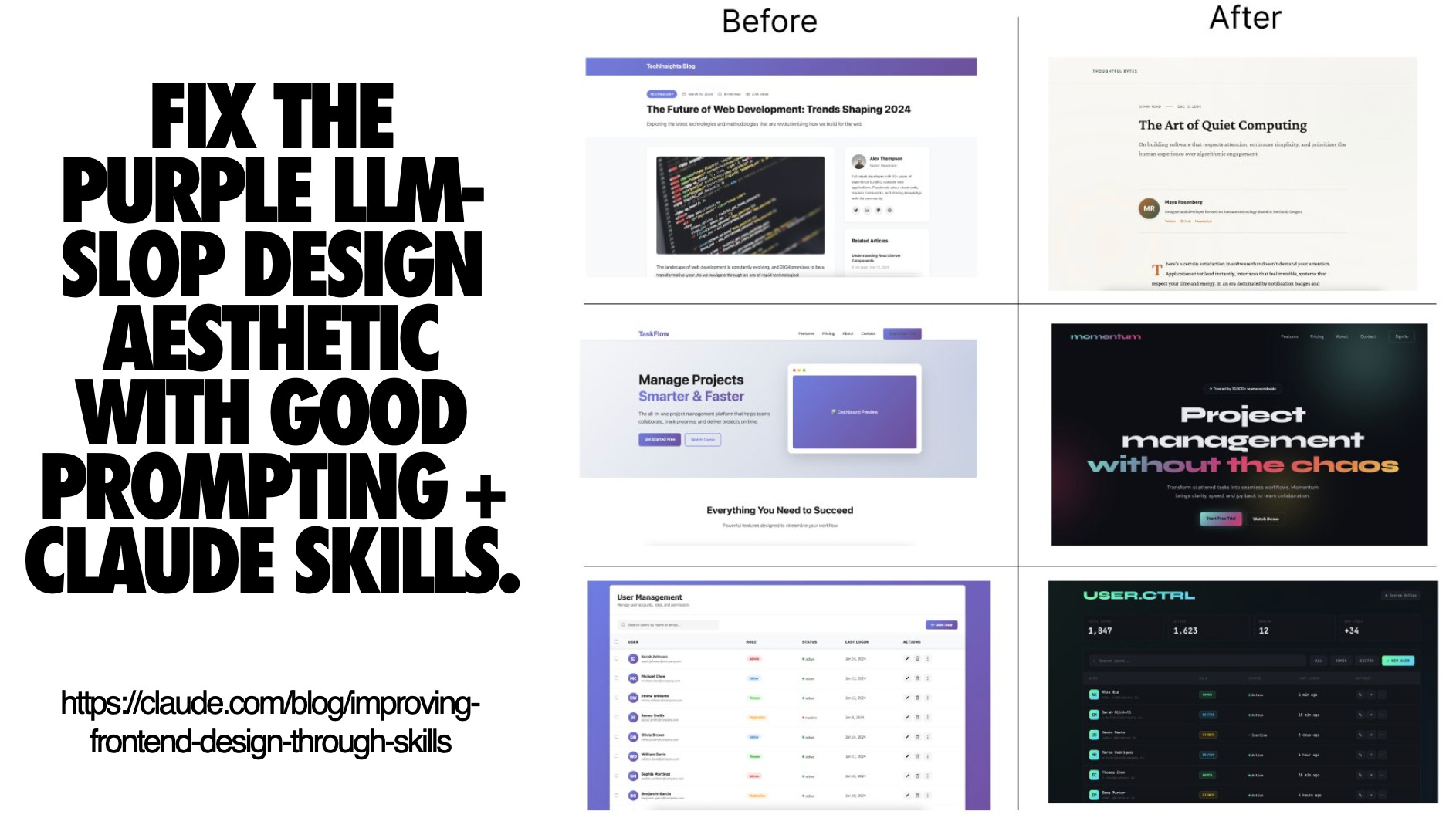
One approach is tooling rather than “better prompts forever.” Anthropic pushed some of this into Skills (markdown files that Claude reads on demand) instead of trying to brute force it through training. Their frontend-design skill is worth checking out.
Even if you never use Claude Skills specifically, the lesson is broader:
Some failures are better solved by scaffolding and constraints than by model selection
You want repeatable, shareable “taste primitives” that don’t require rewriting your entire prompt every time
My website generation checklist for React teams
What I ask for up front:
Anchor the layout first: Specify the page sections you want before code
Specify stack and routing: Call out Next App Router, file names, and RSC vs client components so it doesn’t invent structure
Describe content density: Minimal landing page vs long-form so spacing doesn’t default to sludge
Ask for responsive constraints: Breakpoints and collapse behavior
Bake in accessibility: Semantic landmarks, skip links, labels, safe contrast
Convert HTML to real React files: Map sections to components and wire them up in page.tsx
What I do after generation, before trusting it:
Strip inline scripts and move DOM logic into client components with hooks and typed props
Normalize layout primitives and refactor div soup into your real Shell, Container, Stack components
Run a11y and perf checks: Lint, Lighthouse, and add tests for critical flows
Freeze the visual system: Snap palette, spacing, typography into Tailwind config or tokens
Keep the model on a leash: Use it for slices and variants, not wholesale rewrites of a tuned page
Single sentence summary: Be radically explicit in your instructions, and enforce your design system and coding standards so the model can’t drift.
Poor prompt:
Make a landing page for a SaaS productStrong prompt:
Create a Next.js App Router landing page (app/page.tsx) for a developer tools SaaS:

Layout sections:
1. Hero with headline, subheadline, CTA
2. Features (3 columns, icon + title + description each)
3. Social proof (logos grid)
4. CTA

Stack: Next.js 15, TypeScript, Tailwind
Density: Spacious landing page (not cramped)
Colors: Avoid purple/pink gradients - use neutral gray with blue accent
Responsive: Stack features vertically below 768px

Accessibility:
- Semantic HTML (header, main, section)
- Alt text for all images
- Sufficient color contrast (WCAG AA)
2. Agent Arena: Most failures are context failures now
The Agent Arena is a step up: multi-step tasks like writing code, fixing bugs, running tests, running browsers, debugging. This is where “agent loops” show up.
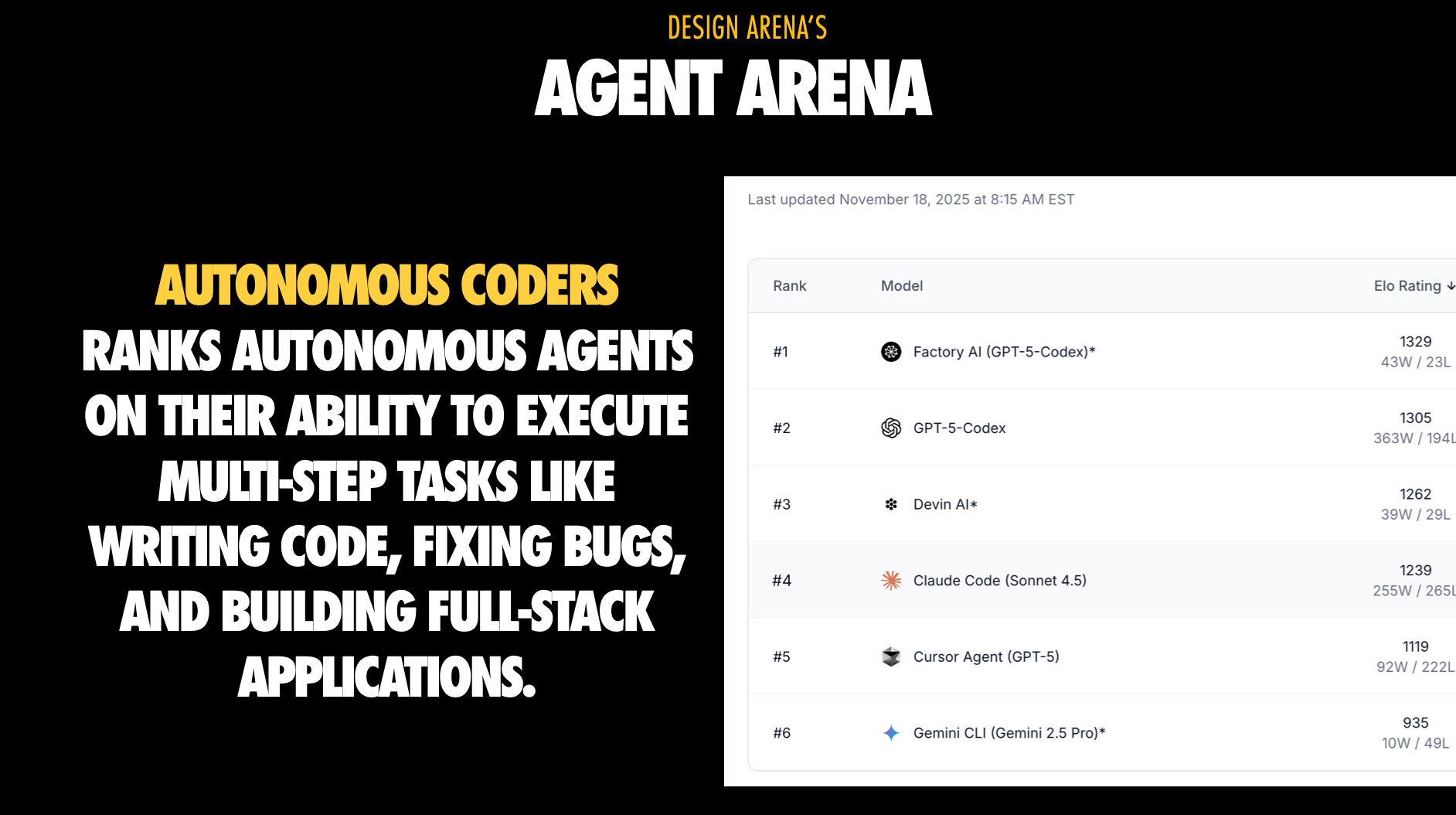
Here’s the biggest trap: when agents fail, it often looks like “the model is dumb.” Increasingly, that’s not true.
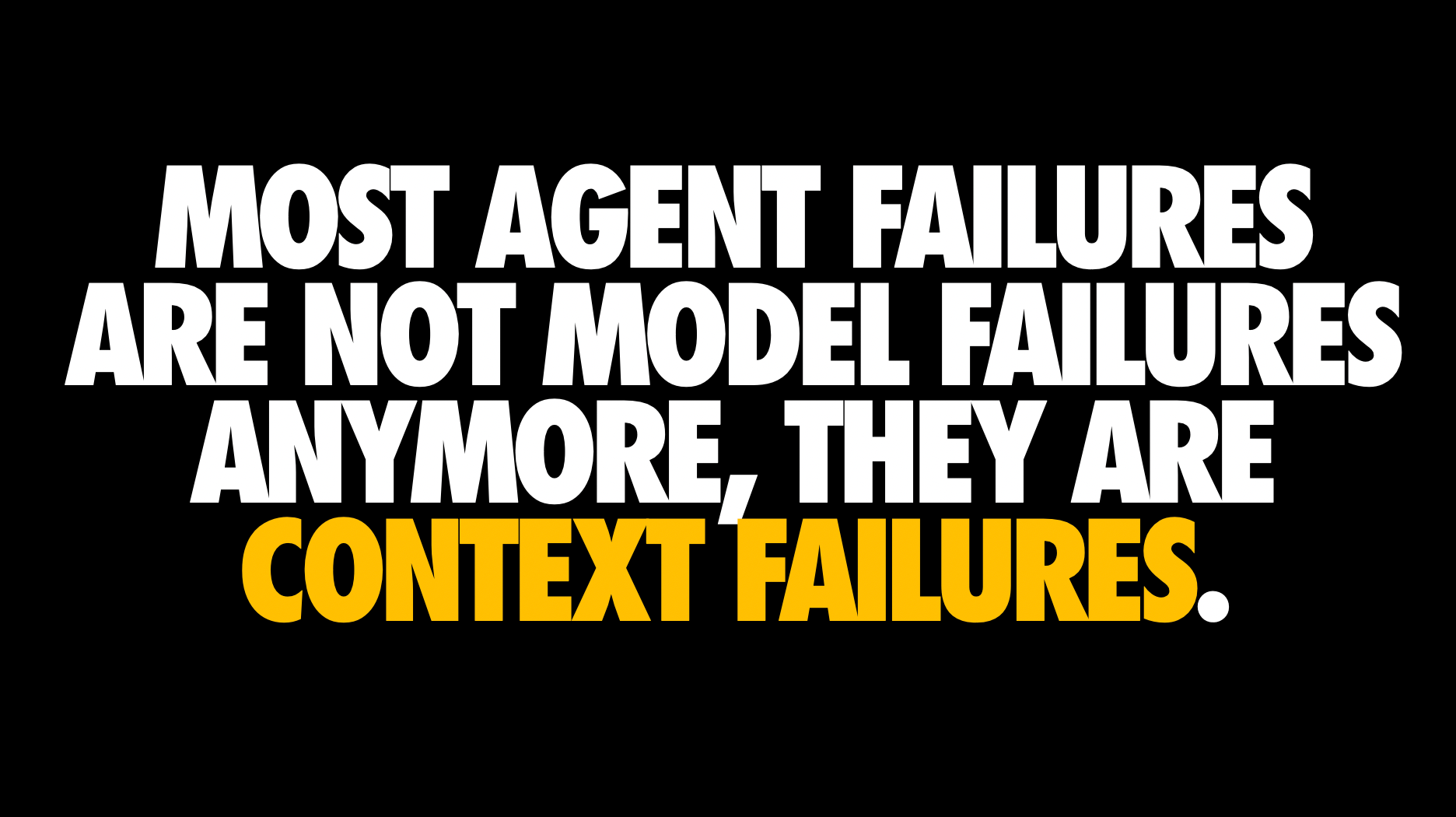
Most agent failures are context failures. If the agent doesn’t see the right logs, tests, or constraints, it makes confident but wrong changes. Fixing context is often higher leverage than switching models.
I also called out something that will resonate if you’ve ever spent time tweaking prompts: prompt engineering failures often come from context mismanagement, not “the wrong magic words.”
How I run agents like a React team lead
Treat agents like a junior hire:
Give a written task brief, acceptance criteria, and constraints
Declare the sandbox: disposable branch, test DB, temporary env vars
Ask for a plan first: files it will touch, tools it will call, risks it sees
Cap blast radius: constrain write access to app, src, config
Require tests as part of fixes: reproduce bug first, then patch
Force small PRs: reviewable commits, not a mega diff
Then add operational guardrails:
Point them at logs and monitors: build logs, Sentry traces, Playwright failures
Snap to house style: ESLint config, prettier rules, naming conventions
Disable auto-merge and require human approval for agent changes
That’s the difference between “agentic coding” and “outsourcing your codebase to a stochastic parrot.”
Poor prompt:
Fix the bug in the checkout flowStrong prompt:
Task: Fix abandoned cart bug in checkout

Context:
- File: app/checkout/page.tsx
- Error: Cart resets on page refresh
- Expected: Cart persists via localStorage
- Test: Run `npm test checkout.test.tsx` to verify

Plan required before implementation:
1. Identify where cart state is managed
2. Add localStorage persistence
3. Add hydration logic
4. Update tests
5. Verify in Playwright

Constraints:
- Only modify app/checkout/* and lib/cart.ts
- Maintain existing TypeScript types
- Follow our ESLint rules
3. Context Engineering: The highest leverage skill for agentic React
If context is the bottleneck, then context engineering is the discipline.
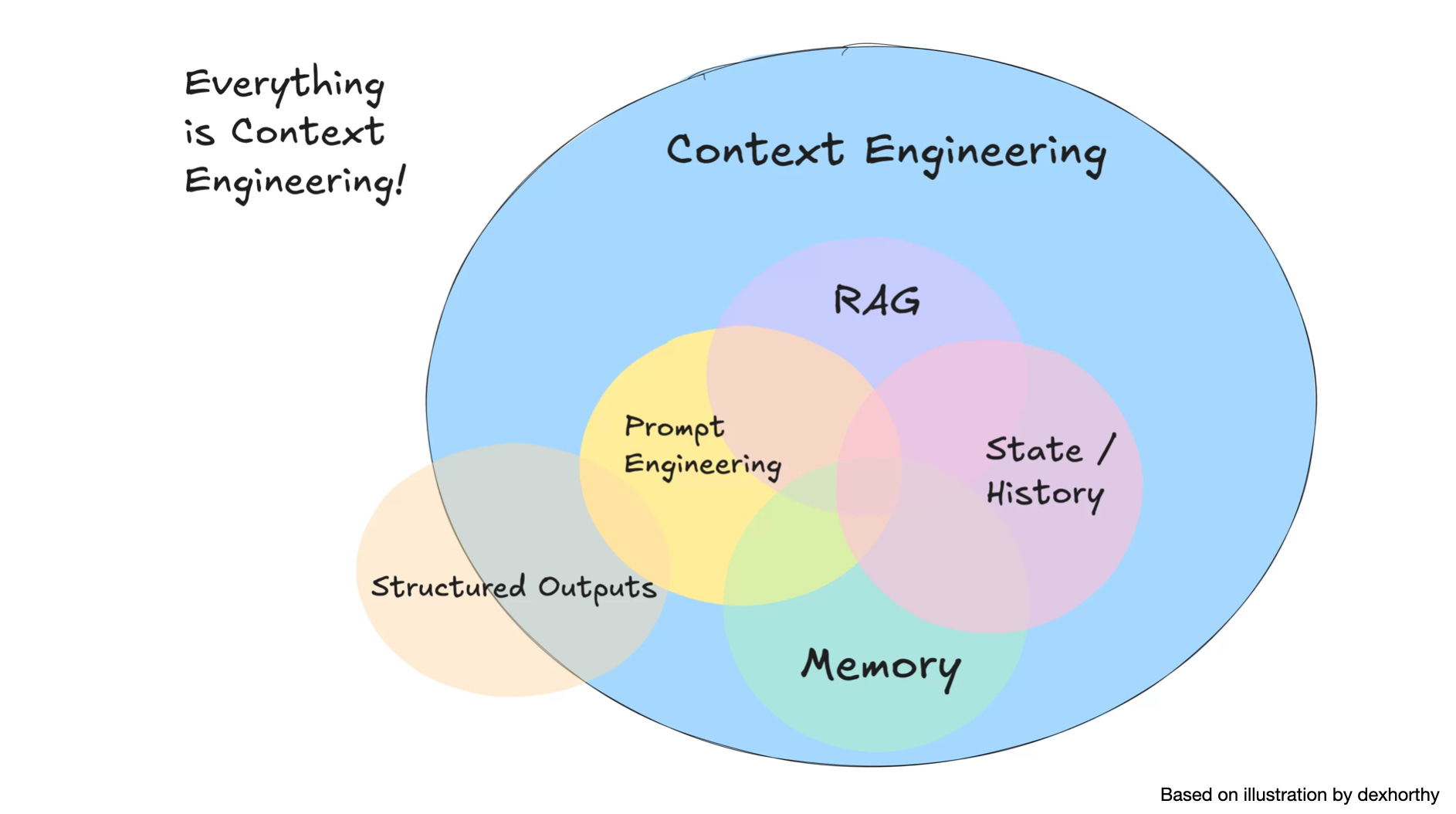
In the talk I described context engineering as the art and science of filling the context window with just the right information to guide the agent’s performance. It’s more than clever prompting.
Two specific tips I want most React developers to internalize:
Visual context is powerful. Screenshots can enable one-shot solutions for UI bugs or design tasks.
Structure beats volume. Unstructured dumps confuse the model, competing information distracts it, and overload overwhelms it.
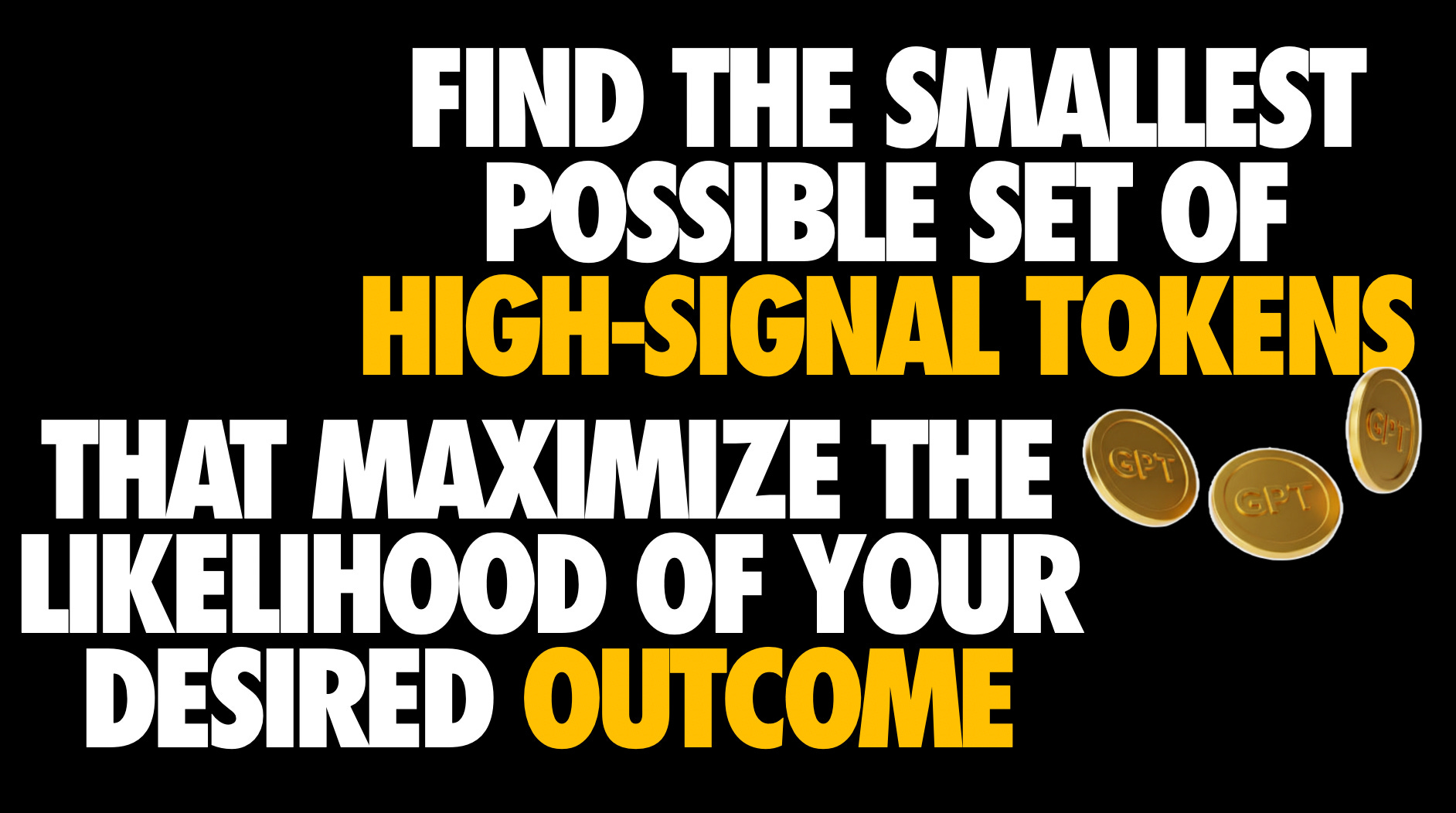
Under the hood, this ties back to a core principle: “Find the smallest possible set of high-signal tokens that maximize the likelihood of your desired outcome.”
Every token you waste is context you cannot spend on:
The actual API surface you need
The architectural constraints you care about
The failing test output that would prevent a bad patch
4. Tooling: If you can’t control the base model, control the layer around It
As I said in the “mastering the tools” section: you probably don’t control the base model, but you can absolutely steer the tooling around it.
A concrete example is doc and state retrieval. Let me show you two tools that demonstrate this pattern:
Context7 MCP

Context7 pulls fresh, version-specific docs and examples from source sites and injects them into the model’s working set, reducing guessing and stale snippets. You can nudge it toward topics like routing or hooks and cap how much to bring in.
Next.js DevTools MCP
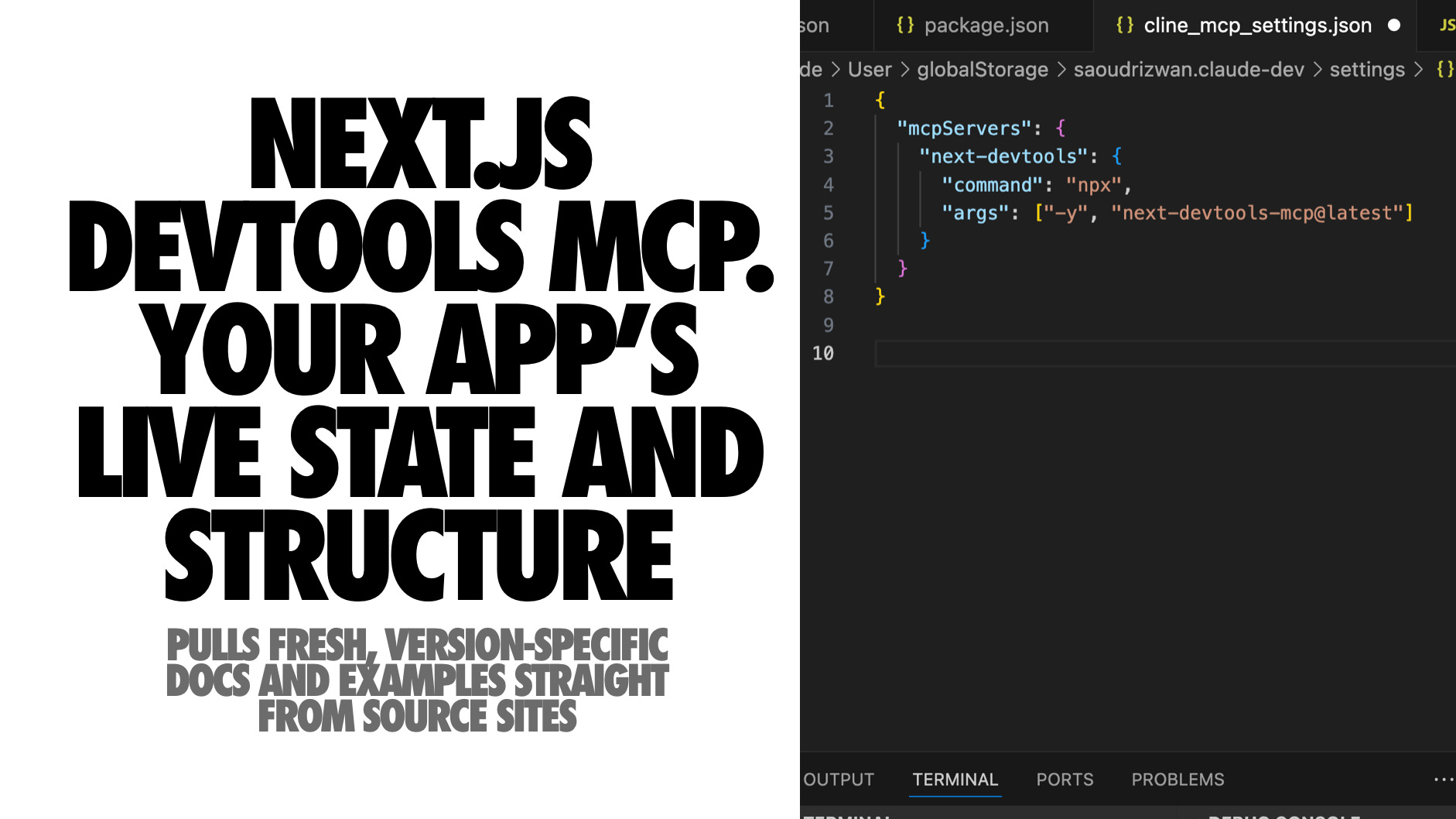
The modern Next dev server exposes a built-in MCP endpoint. The Next.js DevTools MCP server connects to it so an agent can ask for real data about your running app:
Current build or runtime errors
Routes and layouts
Component metadata
Server actions and dev logs
Playwright paths for simple browser checks
It also ships with a Next-specific knowledge base and helpers for common tasks like upgrades.
Chrome DevTools MCP
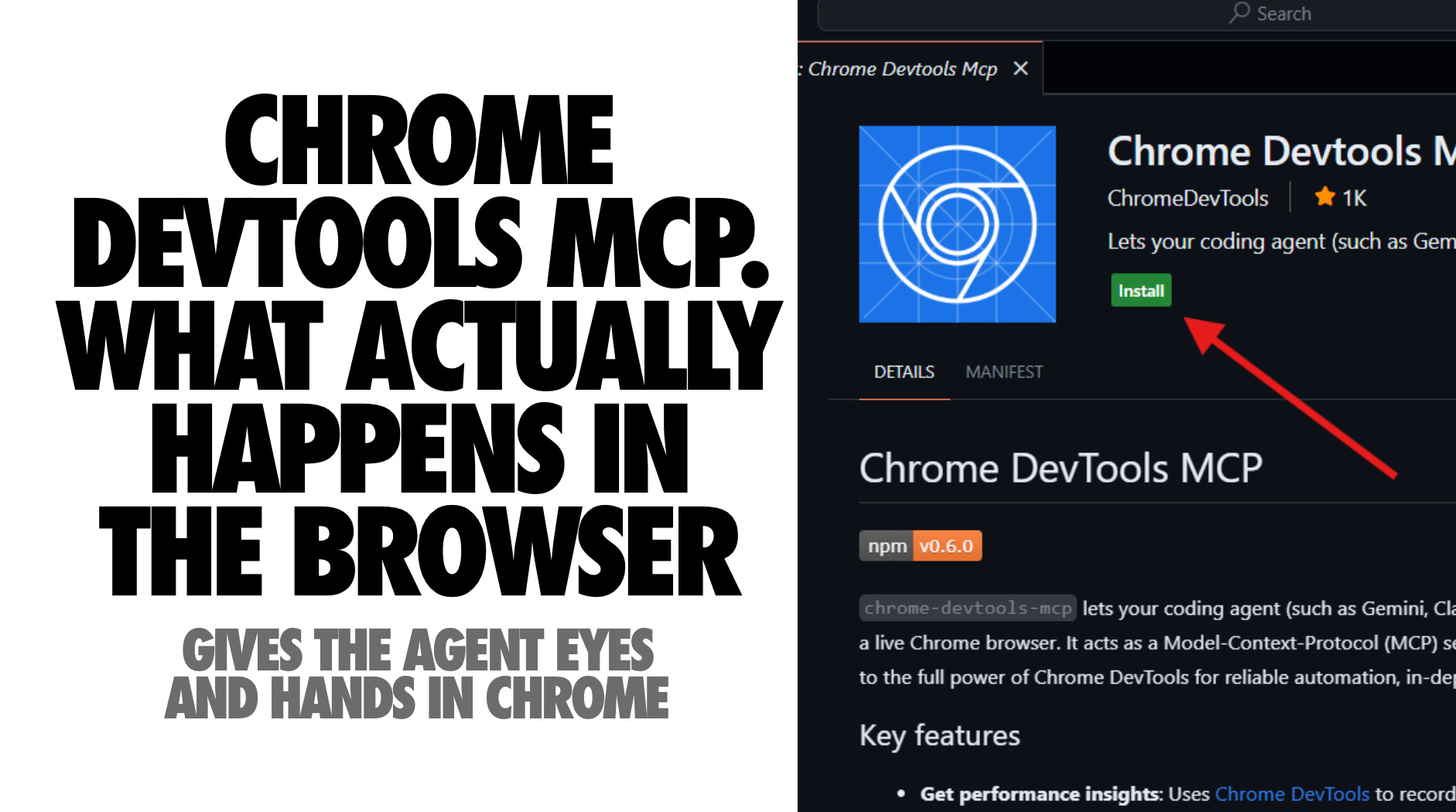
Chrome DevTools MCP gives the agent eyes and hands in a real browser. It can open pages, click through flows, read console and network logs, take screenshots, and record performance traces to investigate things like high LCP or blocking time. Under the hood it rides on Chrome DevTools and Puppeteer, so you get reliable automation instead of brittle scripts. Because it can see page content, you still want sensible flags and isolation from personal browsing, but treated as scoped tooling it is very powerful.
How MCPs fit together
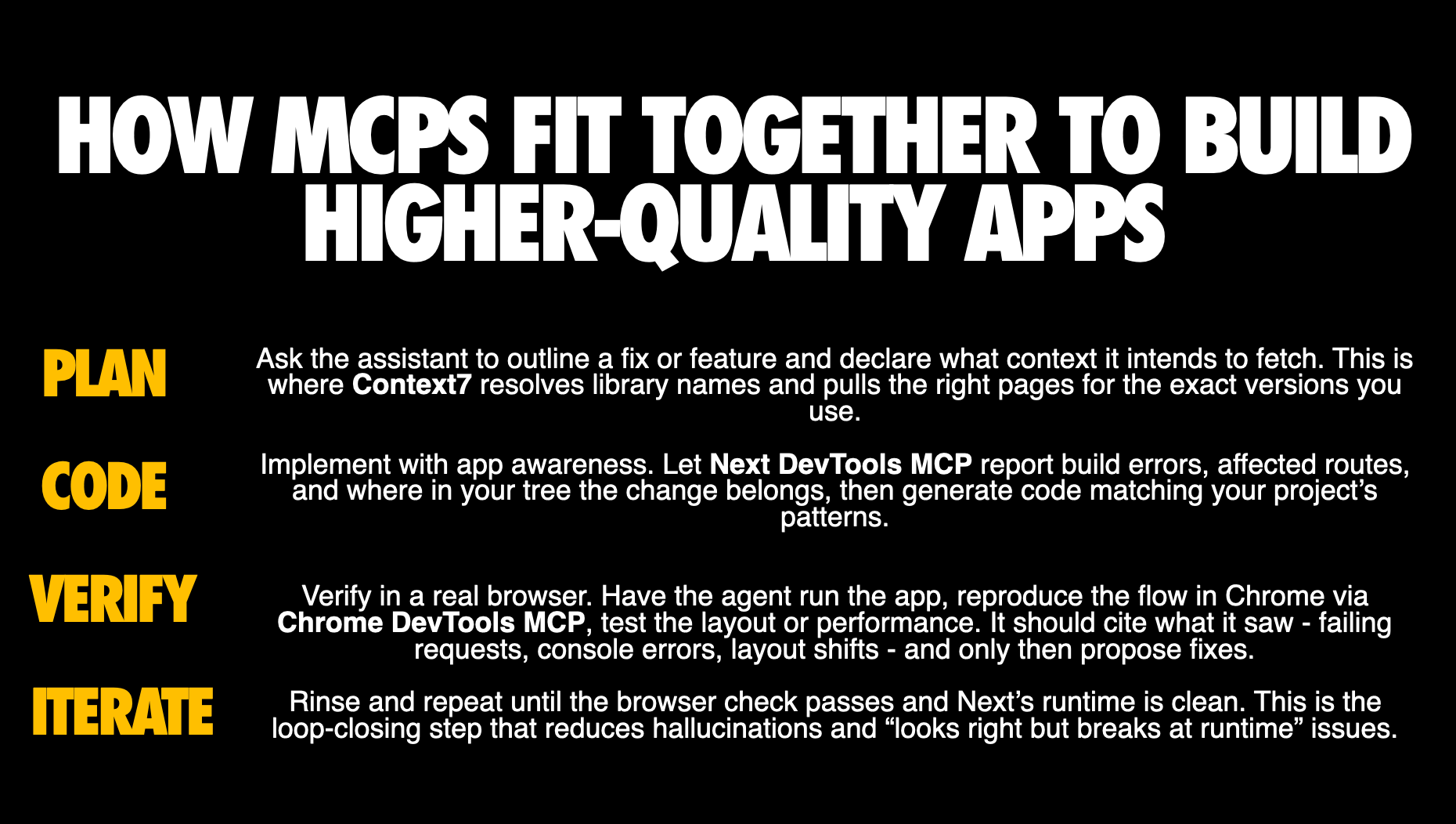
Context7 gives your assistant the right external knowledge. Next DevTools MCP gives it your app’s truth. Chrome DevTools MCP proves the result in a real browser. Used together, you turn a guessing assistant into a closed‑loop coder and debugger that cites sources, places changes correctly, and verifies outcomes before you hit commit.
This is the pattern I expect more React teams to adopt: rather than hoping the model remembers today’s Next.js behavior, wire it to an always-correct source of truth.
5. Builder Arena: Vibe Coding tools used responsibly
Builder tools are designed for rapid prompt-driven product creation, not just “write me a component.” They optimize for cohesion and perceived completeness.
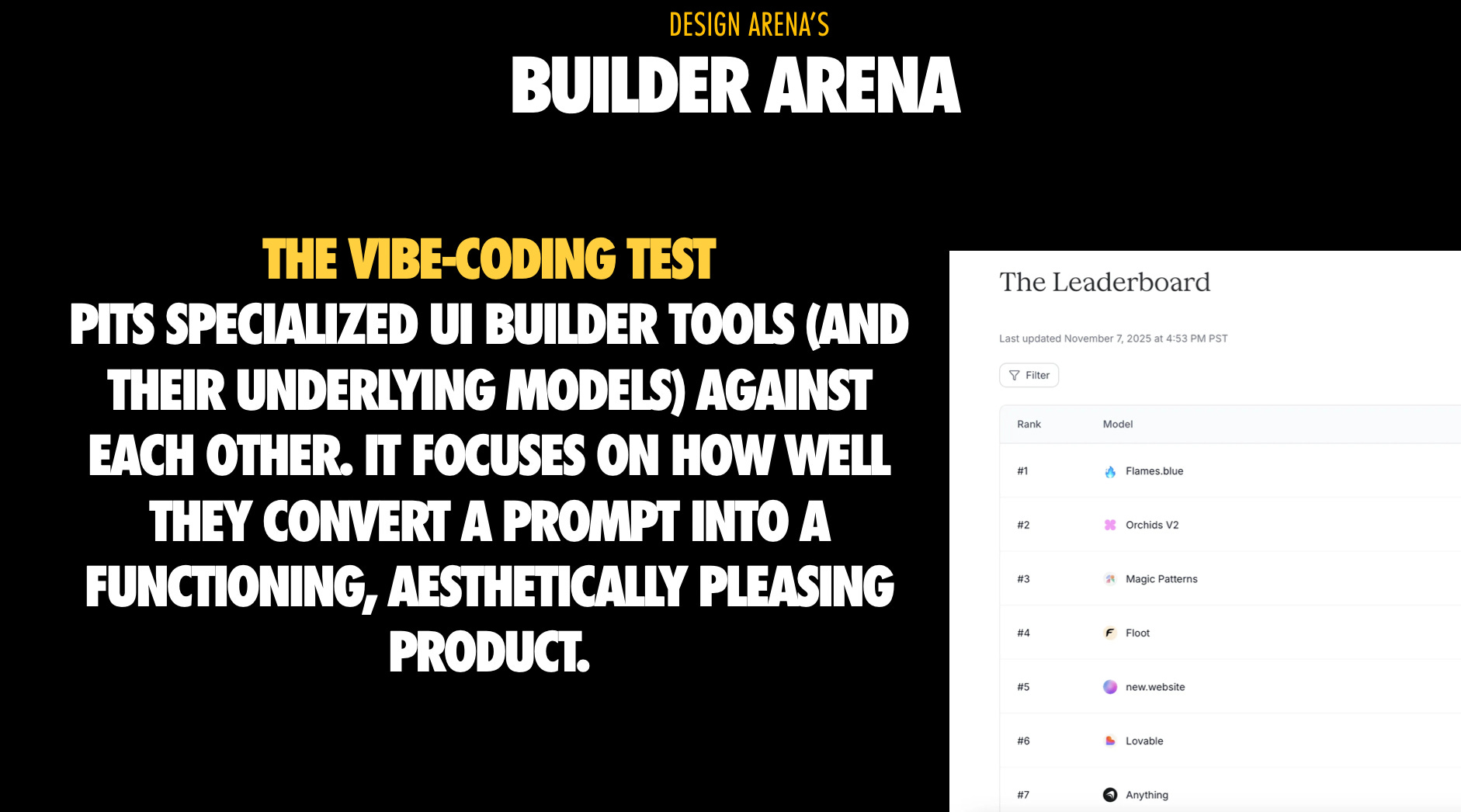
Design Arena’s builder results were surprising precisely because builders are not just base models. They’re base models plus scaffolding plus UX and post-processing.
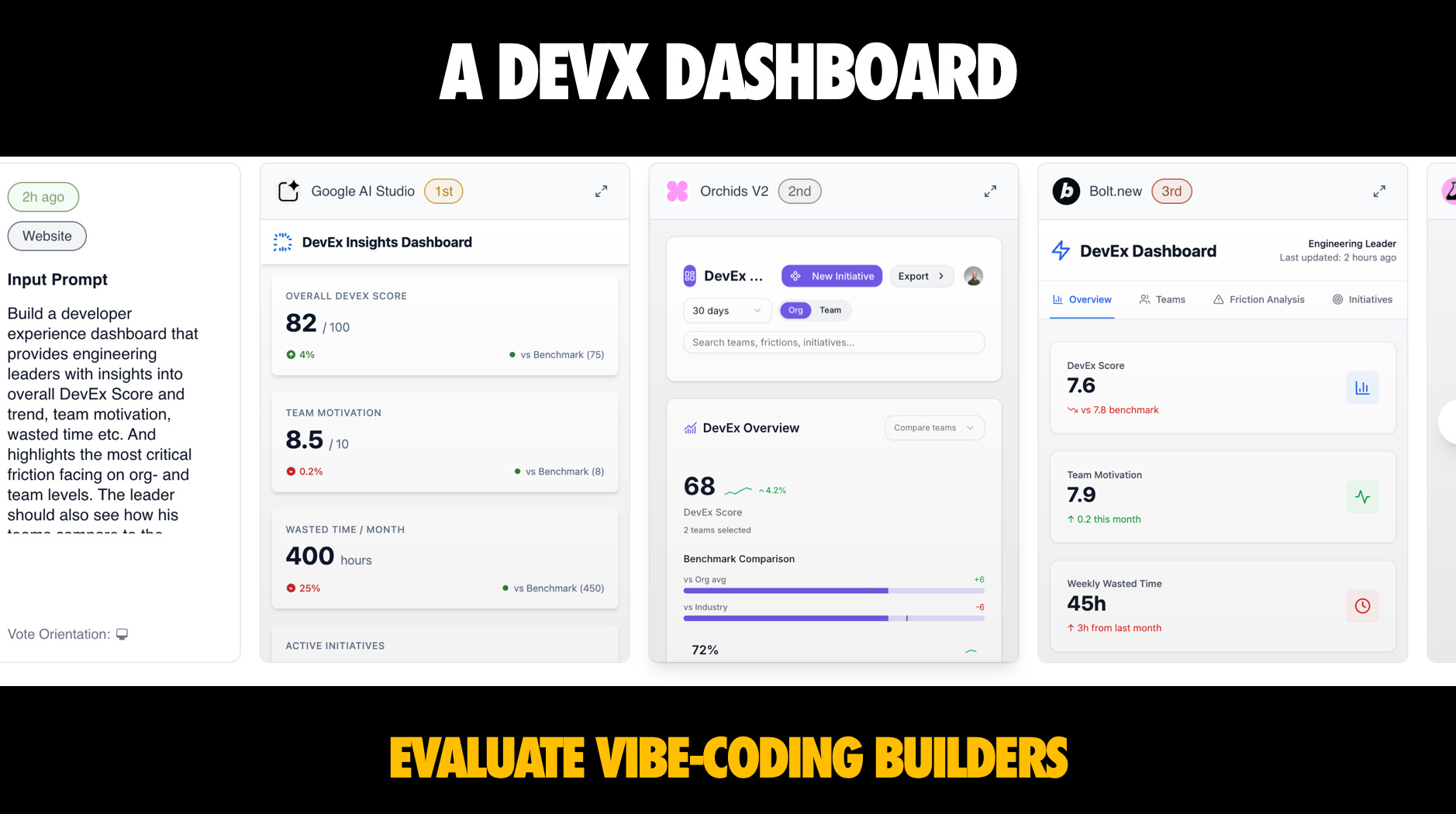
My guidance for React developers:
Use builders as idea generators. Harvest layout, copy, micro-interactions, then rebuild cleanly in your codebase
Normalize APIs. Refactor generated fetch calls, hooks, stores to your patterns
Consolidate CSS. Pull scattered styles into tokens and your component library to avoid spawning a second design system
Archive failure cases. Save screenshots and diffs to refine prompts and tool settings over time
And if you want the “before you even start” checklist:
Start with a written product spec: features, user types, flows
Lock your design system: your existing shadcn, Radix, or in-house primitives
Describe the vibe in concrete terms: reference sites, adjectives, motion levels
Limit surface area: use builders for a single flow rather than your entire shell
If you treat builder output as production code by default, you’ll end up maintaining a foreign codebase you never chose.
6. UI Components Arena: where React developers win
The UI Components Arena is the most directly applicable to most React teams: generate isolated reusable components. Scope is focused, success rate is high, and output can be close to production-ready.
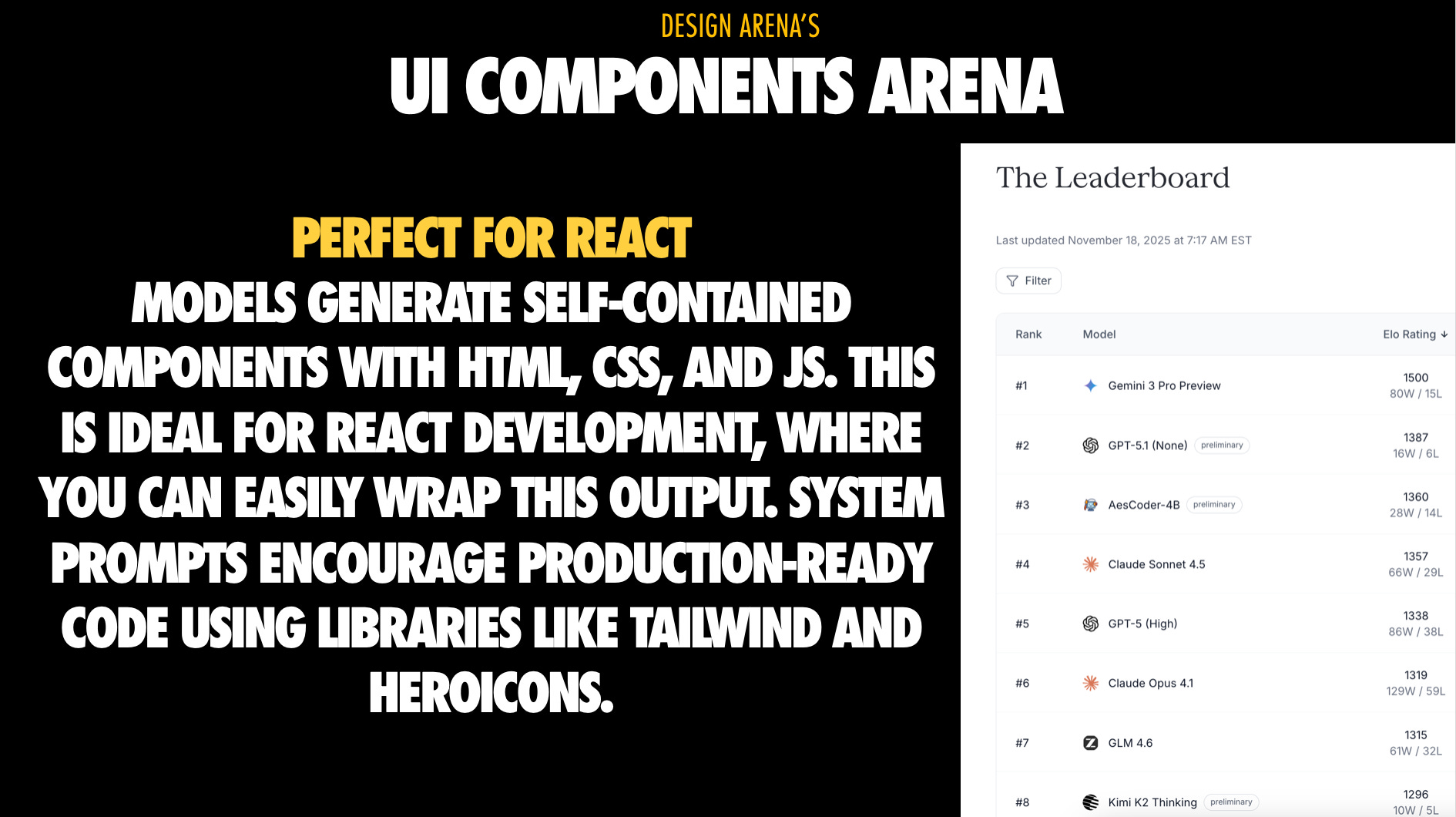
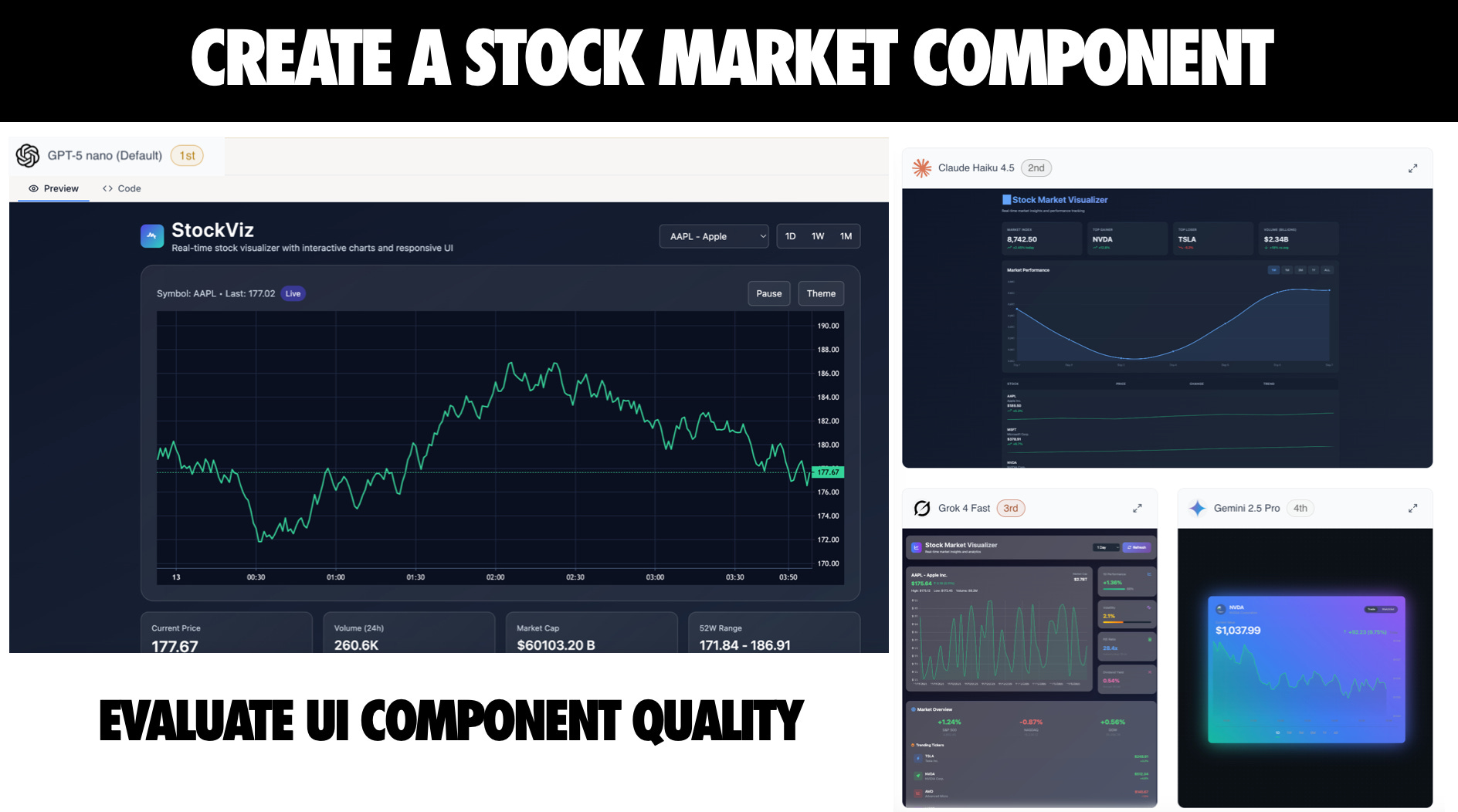
It’s also where the “logic not taste” lesson shows up cleanly: models can wire up props and state and still make ugly, inconsistent decisions.
So I use AI here heavily, but with a specific protocol.
Start by forcing a Component contract
These are the things I want in the prompt before the model writes JSX:
Define prop names, types, variants, and states
Provide examples and edge cases, including weird inputs
Demand accessibility by default: keyboard nav, ARIA, focus management, error messaging
Avoid anonymous div wrappers; use semantic structure where it matters
Separate styling concerns: Tailwind classes or your utility system, not inline styles
Request story files: Storybook or MDX usage examples
Then do the React integration work AI is usually bad at
Once you have a plausible component, integrate it like a senior engineer:
Convert state to idiomatic React: Replace query selectors and global variables with hooks and props
Make behavior composable: Refactor complex pieces into hooks you own
Test the contract, not the implementation: Focus tests on props and events so internals can evolve
Snap components into your design system before exposing them broadly
This is the pattern I recommend to teams: let AI get you 70% of the way on structure, then deliberately take ownership of API shape, composition, and design tokens.
Poor prompt:
Create a sign-up button component with different variantsStrong prompt:
Create a sign-up Button component with:

Props:
- variant: 'primary' | 'secondary' | 'ghost'
- size: 'sm' | 'md' | 'lg'
- disabled: boolean
- loading: boolean

Requirements:
- Use Tailwind classes
- Show loading spinner when loading=true
- Disable pointer events when disabled
- Support keyboard navigation (Enter/Space)
- Include focus-visible ring
- ARIA: use aria-disabled, aria-busy

Example usage:
<Button variant="primary" size="md" loading={isSubmitting}>
  Submit
</Button>
Then show a side-by-side of what each produces - the poor one generates inconsistent spacing, misses accessibility, uses inline styles. The strong one hits all requirements.
7. 3D and Data Viz: Let AI generate assets and data, not your entire integration
The 3D and Data Viz arenas stress more structured generation tasks, relevant for interactive dashboards, WebGL, and data-heavy apps.
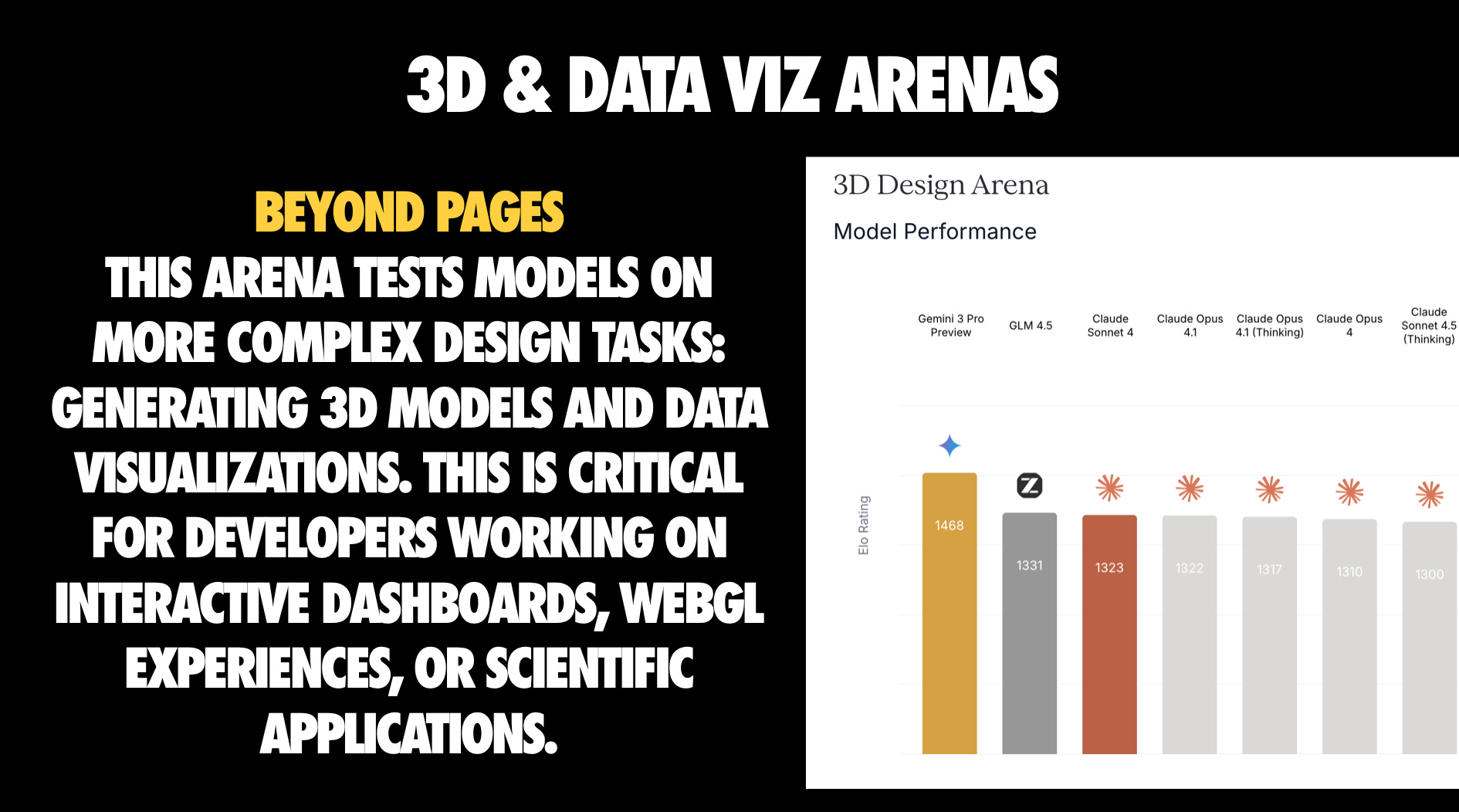
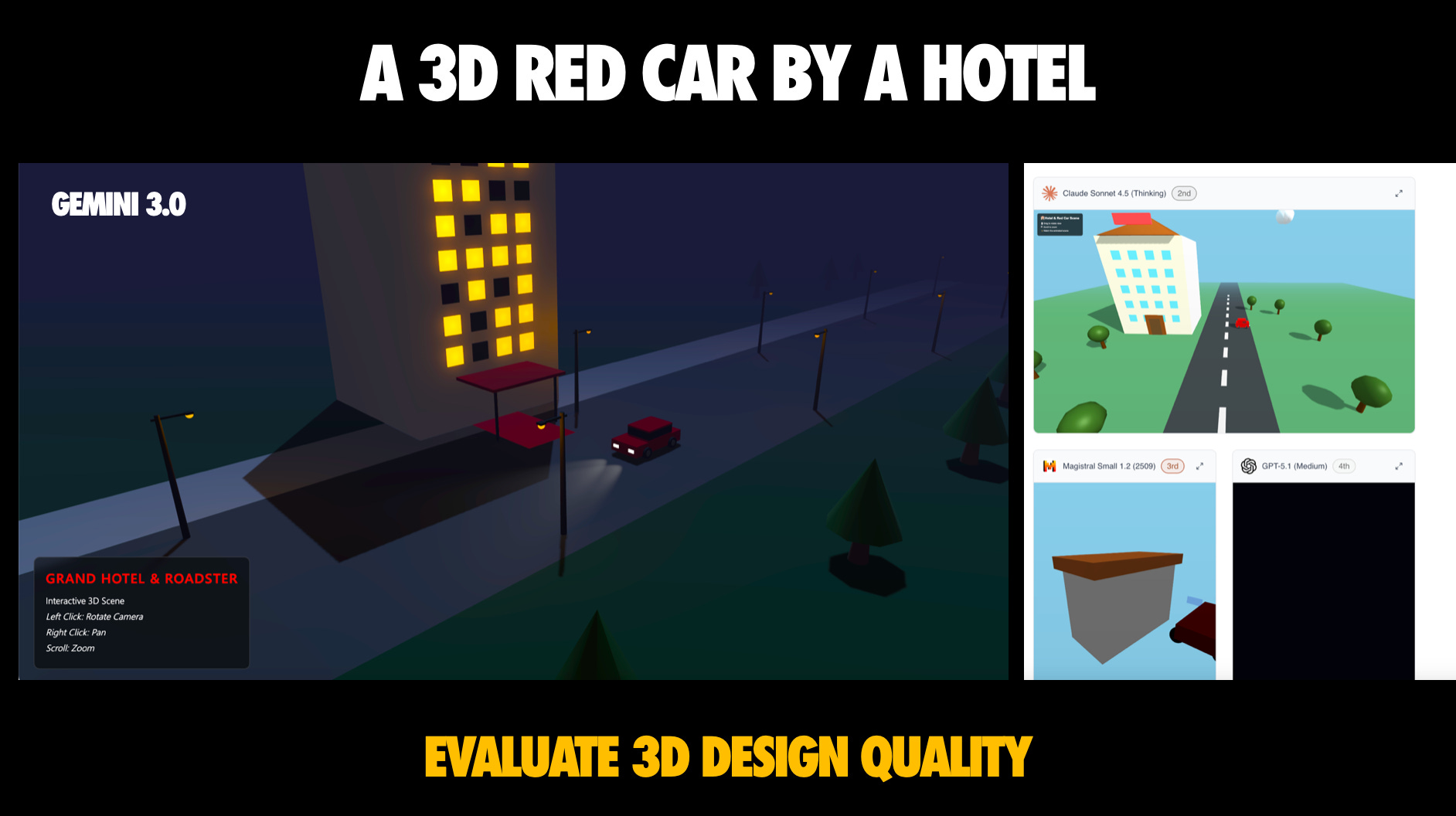
The lesson from these arenas is not “AI writes your Three.js app.” It’s:
Decide what AI should generate: Ask for geometries, datasets, configuration, not full integration code
Specify the target library: React Three Fiber, Drei, Recharts, Victory, Visx
Request low poly first and iterate toward fidelity once performance is proven
Keep performance under control: Lazy load heavy assets, guard frame rate, keep fallbacks
In practice, this is how you avoid an “AI demo” becoming a performance incident.
React-Specific tips I want more teams to operationalize
The talk includes a slide of “React AI coding tips” that I keep coming back to because it captures what actually works in practice.
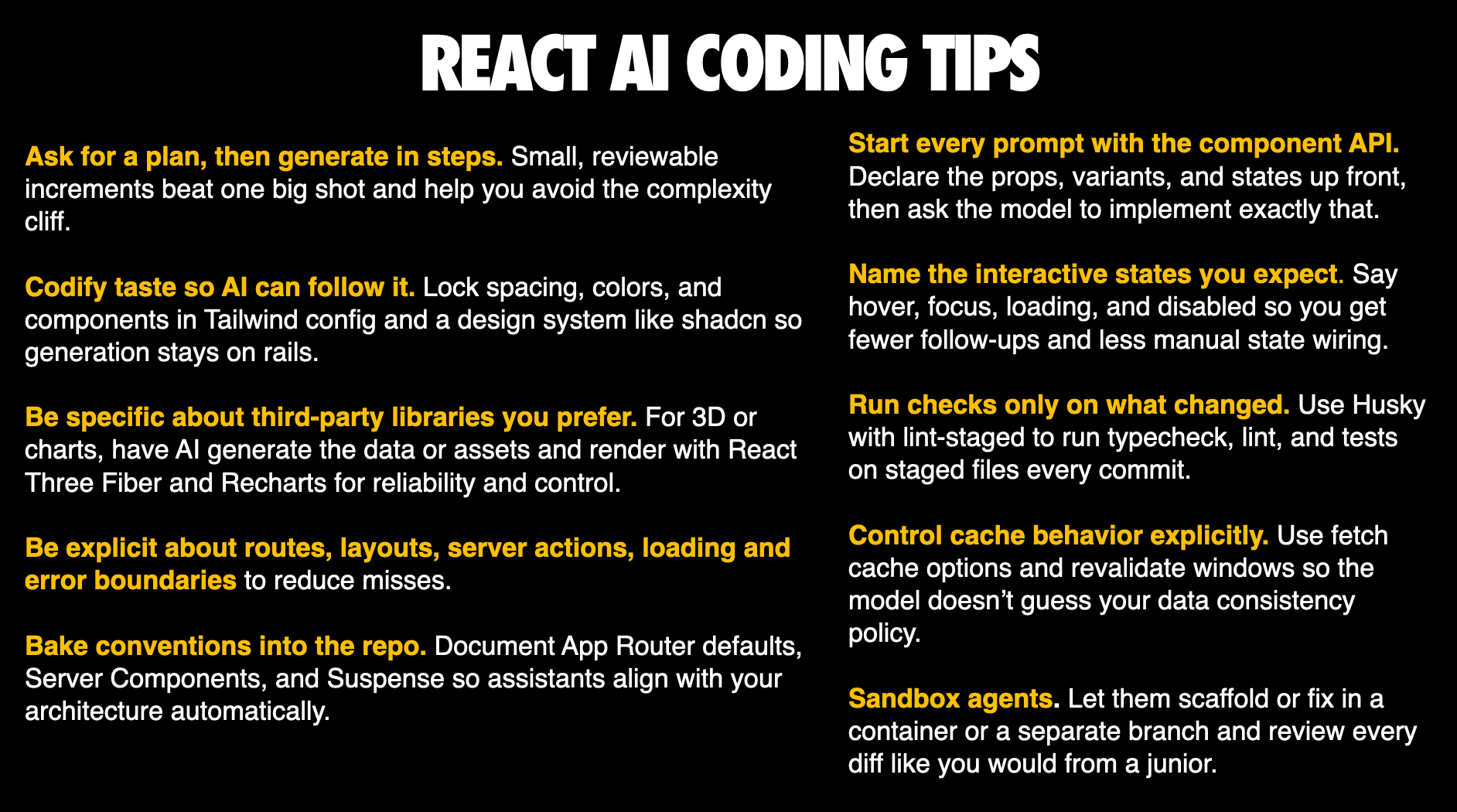
Here are the ones I see paying off immediately on real teams:
Start prompts with the component API: Declare props, variants, states, and then tell the model to implement exactly that
Name interactive states explicitly: hover, focus, loading, disabled
Ask for a plan, then generate in steps: Small increments beat one big shot, and help avoid the complexity cliff
Codify taste so AI can follow it: Lock spacing, colors, components in Tailwind config and your design system
Be explicit about routes, layouts, server actions, loading and error boundaries
Bake conventions into the repo: Document App Router defaults, Server Components, Suspense so assistants align automatically
Run checks only on what changed: Husky with lint-staged to run typecheck, lint, tests on staged files
Control cache behavior explicitly: Fetch cache options and revalidation windows as part of the prompt, so the model doesn’t guess your policy
The meta-message is the same: The difference between “AI helped me ship” and “AI gave me a mess” is almost always the level of specificity and the strength of your guardrails.
How I debug AI coding failures: it’s a pipeline, not a model
Once you accept the complexity cliff, the question becomes: how do you consistently get good outcomes?
I use a mental model I showed near the end of the talk: when AI code works or fails, it’s rarely “just the model.” It’s the whole pipeline.
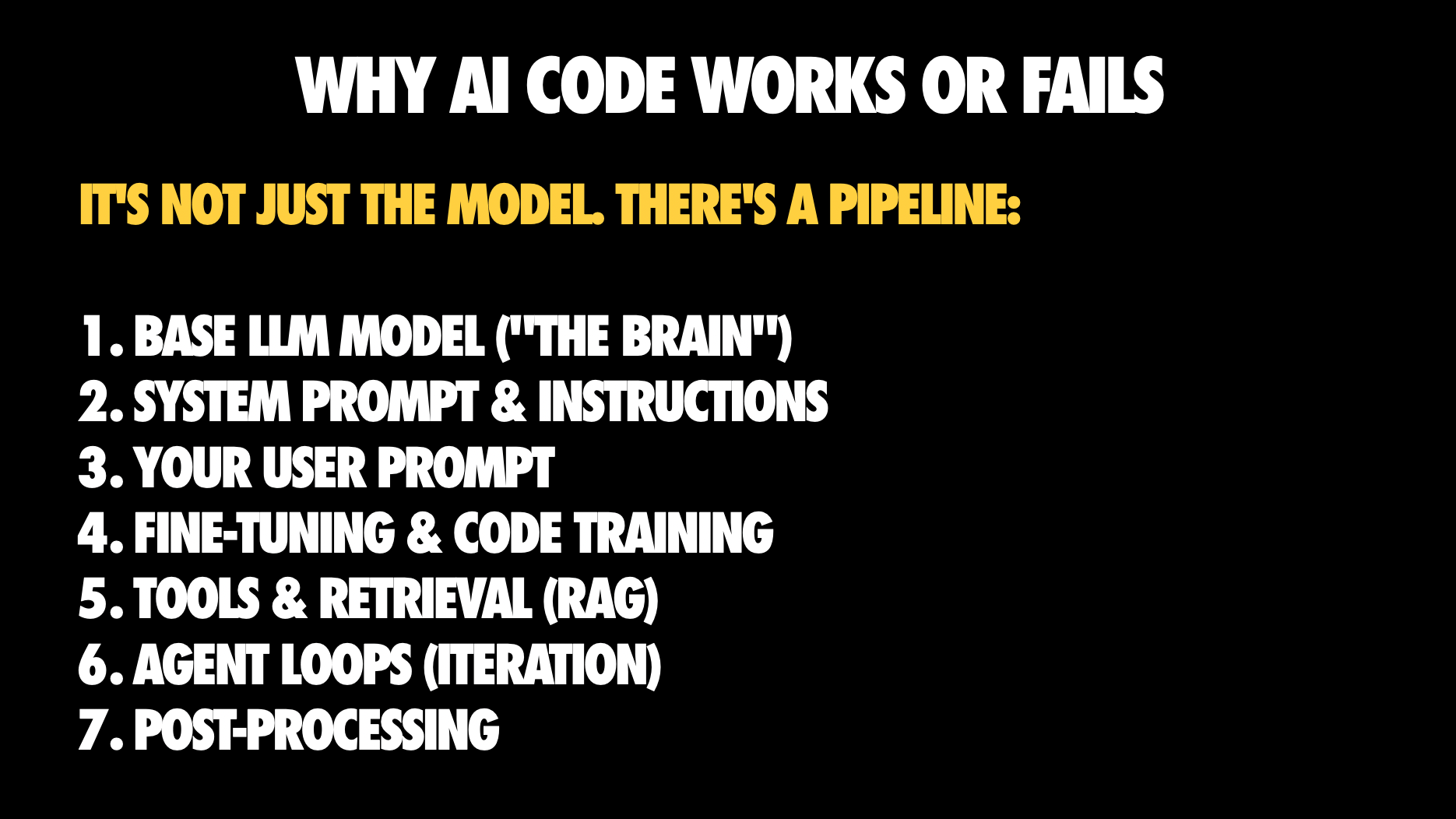
The pipeline:
Base model
System prompt and instructions
Your user prompt
Fine-tuning and code training
Tools and retrieval (RAG)
Agent loops (iteration)
Post-processing
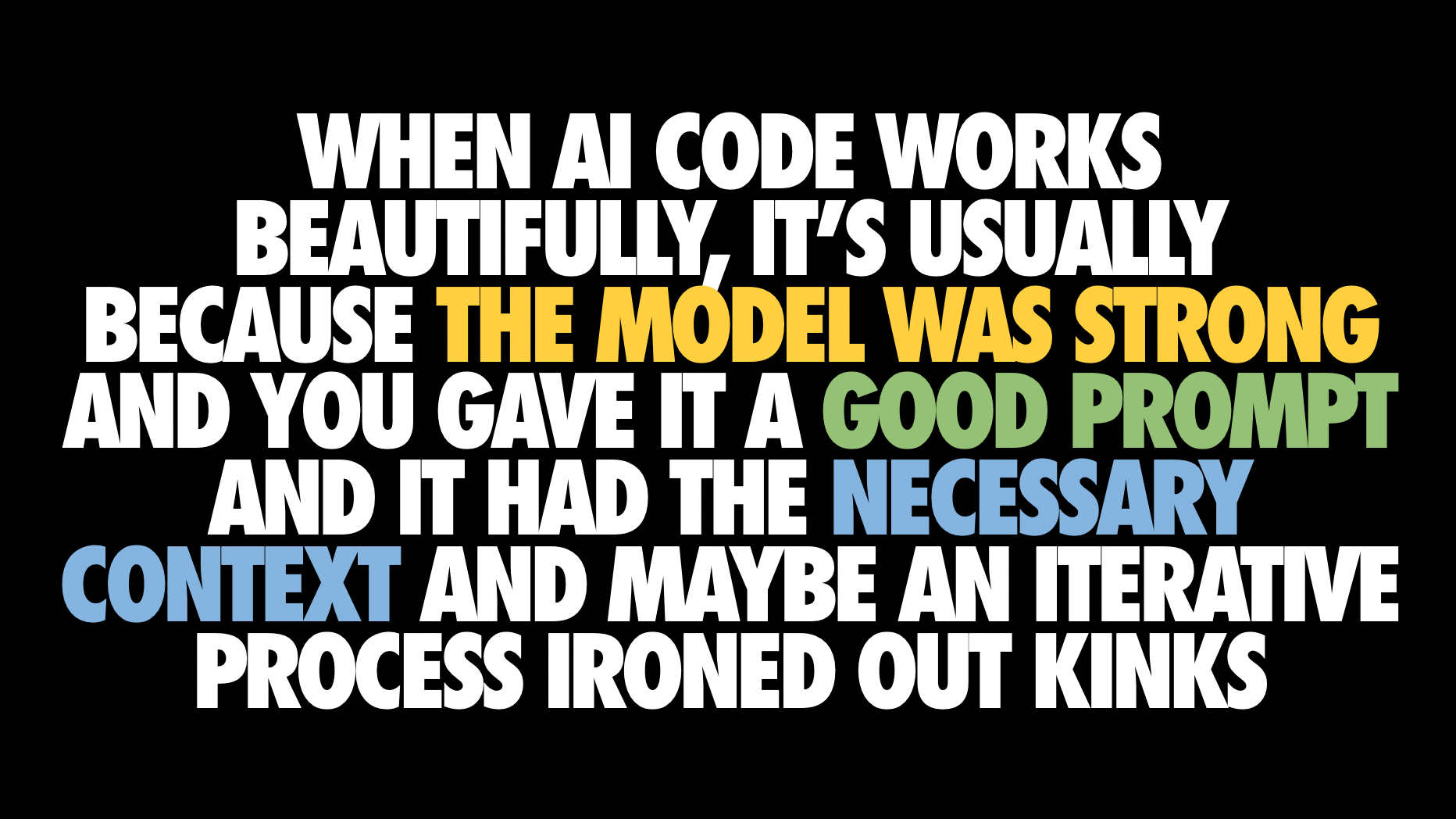
If you’re disappointed, you can almost always point to a weak link: wrong model for task, vague prompt, missing context, no iteration.
When things work, it’s usually because multiple layers aligned well: strong model, good prompt, necessary context, and iteration to iron out kinks.
This is actionable, because most of those layers are under your control as a user, even if you don’t own the base model.
The workflow I recommend for agentic React coding
I summarized it in the deck as the “new flow state”:
Define clear requirements (maybe write tests)
Prompt with context (stack, docs, examples)
Ask for plan, review
Generate code in small steps
Run, test, refine
Iterate until production-ready
This sounds like “normal engineering,” and that’s the point. The best teams I see using AI are not doing anything mystical. They’re turning implicit engineering discipline into explicit instructions and then using AI to accelerate the boring parts.
If you want one sentence: You’re not just typing code anymore, you’re orchestrating code creation.
So, how good is AI at coding React, really?
Where I land after looking at these benchmarks and using these tools day to day:
✅ AI is genuinely strong at:
Isolated React components
Scaffolding
Converting clearly specified requirements into working code
⚠️ AI is still unreliable at:
Multi-step integration tasks without strong tooling, strong context, and iteration loops
❌ AI is consistently weaker at:
Taste, hierarchy, and nuanced UX decisions than it is at “code that runs”
The aesthetic gap is real
💡 The highest leverage strategy is not “pick the best model.” It’s:
Reduce context failures
Codify your conventions
Force stepwise work
And the part I find most exciting: The opportunity keeps expanding. Models and tools change fast, but the underlying skills that make you effective don’t. You are still the architect.
Learn More
If you want to keep exploring this space:
Talk video: https://gitnation.com/contents/how-good-is-ai-at-coding-react-really
Design Arena leaderboard: https://www.designarena.ai/leaderboard
Design Arena methodology: https://notes.designarena.ai/in-pursuit-of-a-benchmark-for-human-taste/
And if you want to dive deeper into related topics, I’ve written two books on the topic: “Beyond Vibe Coding” and “Building large-scale web apps with React”
Awesome post. Thanks for writing it!
This is gold! Thank you!